JPEG 80 is not WebP 80: what quality means in four encoders
On this page
We set four encoders to quality 80 and pointed them at one photograph, an 1800x1200 shot of a fjord. jpegli scored 74.2 on the SSIMULACRA 2 scale, mozjpeg 74.8, cwebp 72.8, avifenc 85.5. One picture, one number typed into four tools, and nearly thirteen points between the best result and the worst.
Quality 80 names four unrelated parameters that happen to share a range. We measured what each produces across ten public images, worked backwards to the number every encoder needs to land in the same place, and read all four sources to see why they disagree.
What quality 80 actually produces
The corpus is the ten images from our first post: six photographs, two screenshots, a flat graphic, a transparent icon. Every encoder is at 80, otherwise at the settings in the method note below.
| Image | jpegli | mozjpeg | cwebp | avifenc | spread |
|---|---|---|---|---|---|
| Fjord, photo | 74.2 | 74.8 | 72.8 | 85.5 | 12.7 |
| Raspberries, photo | 78.2 | 79.5 | 71.0 | 82.4 | 11.4 |
| Night skyline, photo | 74.2 | 74.7 | 68.5 | 83.9 | 15.4 |
| Canoe, photo | 77.1 | 78.1 | 69.8 | 83.2 | 13.4 |
| Cafe, photo | 81.4 | 82.6 | 72.6 | 85.3 | 12.7 |
| Coffee, photo | 81.2 | 81.9 | 78.4 | 83.7 | 5.3 |
| Phone screenshot | 80.5 | 76.9 | 81.6 | 87.5 | 10.6 |
| Desktop screenshot | 71.5 | 65.4 | 81.9 | 89.8 | 24.4 |
| Social card | 79.2 | 75.9 | 80.2 | 85.3 | 9.4 |
| App icon | no alpha | no alpha | 83.9 | 90.1 | 6.2 |
The median row spans about 12 points; the desktop screenshot 24.4. Across the six photographs the median score at 80 is 83.8 for avifenc, 78.8 for mozjpeg, 77.7 for jpegli and 71.8 for cwebp. Chroma is part of that ordering: on a photograph row avifenc wrote 4:4:4, mozjpeg 4:2:2 by its own switch, cwebp 4:2:0 because VP8 has nothing else, jpegli 4:2:0 by our setting. These are different pictures: 71.8 sits near the line the scale calls "artifacts are perceptible, but not annoying", 83.8 past the one where distortion stops being noticeable side by side.
The published advice disagrees with itself
Search for the equivalence and the answers are confident and irreconcilable. On 20 September 2026, imgtweak had WebP 80 looking like JPEG 85, so WebP needs a lower number; gautamkhorana.com put WebP 80 to 85 against JPEG 75, so it needs a higher one; a dev.to piece put both in one band. None says which encoder produced the equivalence.
Three that we found have measured it. Malte Ubl scored four images through sharp with dssim; his 2021 table maps JPEG 80 to WebP 82. Thibaud Colas scored the 250-image CID22 set with SSIMULACRA 2, the metric we use, and his table maps JPEG 80 to WebP 83. Jeff Kaufman scored 668 of his own photographs with SSIM in 2014 and concluded that "WebP at 80 is equivalent to JPEG at ~67". All three put WebP above JPEG. We put it 7.5 above.
Colas used the same metric and got 3 where we get 7.5. The encoders differ, which is this post's subject: his JPEG is libjpeg-turbo through Pillow, ours is mozjpeg with its 4:2:2 switch at 80. So does the corpus, 250 images to our six.
Four scales, four different things
Each encoder is answering a different question, and each one's source says which.
mozjpeg treats quality as a percentage that scales a quantization table. From jcparam.c in v4.1.5:
  if (quality < 50.f)
    quality = 5000.f / quality;
  else
    quality = 200.f - quality*2.f;
Quality 80 means "scale the base table to 40%", and which table matters: mozjpeg defaults to its table 3, the "ImageMagick table by N. Robidoux", not stock libjpeg's Annex K.
jpegli converts quality to a Butteraugli distance, measured in just-noticeable differences. From encode.cc at the revision we built:
float jpegli_quality_to_distance(int quality) {
  return (quality >= 100  ? 0.01f
          : quality >= 30 ? 0.1f + (100 - quality) * 0.09f
          : /* ... */);
}
Quality 80 is a distance of 1.9, which the encoder confirms by printing d1.900 as it runs. Its own help says -q is "remapped to --distance" and that "quality values roughly match libjpeg quality", while -d is the real knob: "1.0 = visually lossless".
avifenc does something different again. From write.c in libavif 1.2.1:
quantizer = ((100 - quality) * 63 + 50) / 100;
A linear remap onto libaom's 0 to 63 quantizer setting. Quality 80 is quantizer 13.
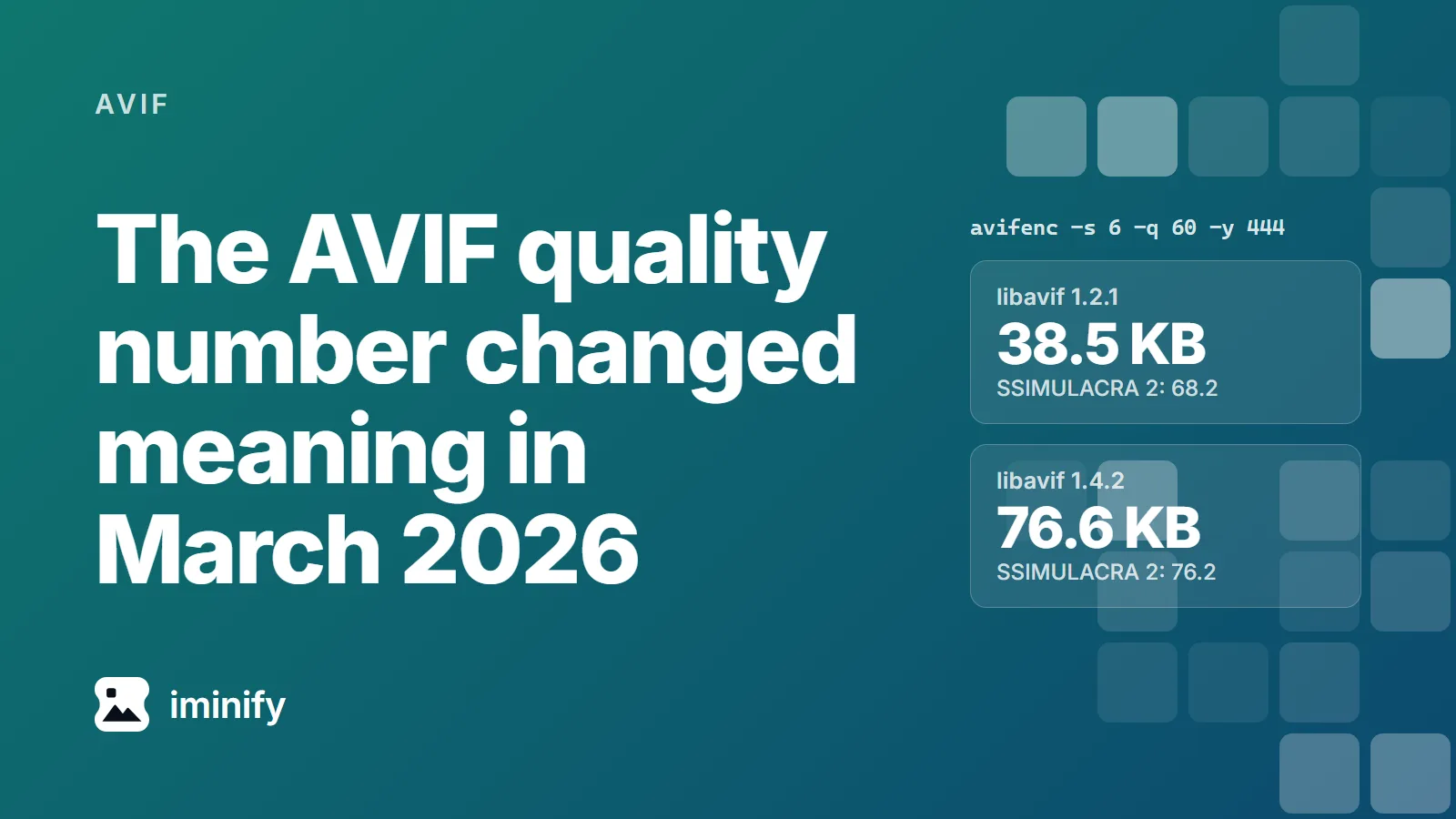
That one has since moved. libavif 1.4.0, March 2026, added a 101-entry lookup table and made it the default for still, non-RGB images on libaom 3.13 and later; the formula above is now its else branch. Quality 80 maps to quantizer 15 there, not 13, and 72 to 21, not 18. Our container runs 1.2.1, so the avifenc column is the old mapping. The number didn't survive two releases of one encoder.
cwebp runs quality through a piecewise-linear function and a cube root before it reaches a quantizer at all. From quant_enc.c in libwebp 1.5.0:
// We want to emulate jpeg-like behaviour where the expected "good" quality
// is around q=75. Internally, our "good" middle is around c=50. So we
// map accordingly using linear piece-wise function
static double QualityToCompression(double c) {
  const double linear_c = (c < 0.75) ? c * (2. / 3.) : 2. * c - 1.;
  // ... the file size roughly scales as pow(quantizer, 3.) ...
  const double v = pow(linear_c, 1 / 3.);
  return v;
}
The result becomes a quantizer on a 0 to 127 scale, modulated per segment by the image's own complexity. Note what that comment already claims: the default path is libwebp's own attempt at jpeg-like behaviour. The -jpeg_like flag people reach for is a second mapping, listed under experimental options and "empirically matched to the compression curve of libjpeg6b". It targets file size, not the score, and libjpeg6b is the same encoder behind Google's WebP study.
One more thing moves underneath this. Lossy WebP is VP8, and RFC 6386 says VP8 "works exclusively with an 8-bit YUV 4:2:0 image format". avifenc wrote 4:4:4 on every source here, because its auto default adopts a JPEG's own format and falls back to 4:4:4, and our JPEGs are all 4:4:4. So part of that gap is chroma. avifenc --yuv 420 closes it from AVIF's side; nothing closes it from WebP's.
mozjpeg moves the chroma under you
Before you benchmark with mozjpeg's cjpeg: past certain quality numbers it changes chroma. From rdswitch.c, with its own comment:
  /* For some images chroma subsampling significantly degrades color quality,
     making it impossible to achieve high visual quality regardless of quality setting.
     To make the quality setting more intuitive, disable subsampling when high-quality
     color is desired. */
  if (val >= 90) {
    set_sample_factors(cinfo, "1x1");
  } else if (val >= 80) {
    set_sample_factors(cinfo, "2x1");
  }
Read the sampling factors back out and it does exactly that: 4:2:0 up to 79, 4:2:2 from 80 to 89, 4:4:4 from 90.
You can see it in the scores. On the desktop screenshot, 89 to 90 gained 6.66 points and 52.8% more bytes in one step. Pin the chroma at 4:2:2 with -sample 2x1 and the same step is worth 0.28; hold quality at 89 and move to 4:4:4 instead and you get 6.01 of the 6.66. The quantization does almost none of that work.
So anyone comparing mozjpeg at 75 against 80 is comparing 4:2:0 against 4:2:2 and calling the difference quality. And since rdswitch.c belongs to cjpeg, not the library, a program calling jpeg_set_quality() never gets the switch.
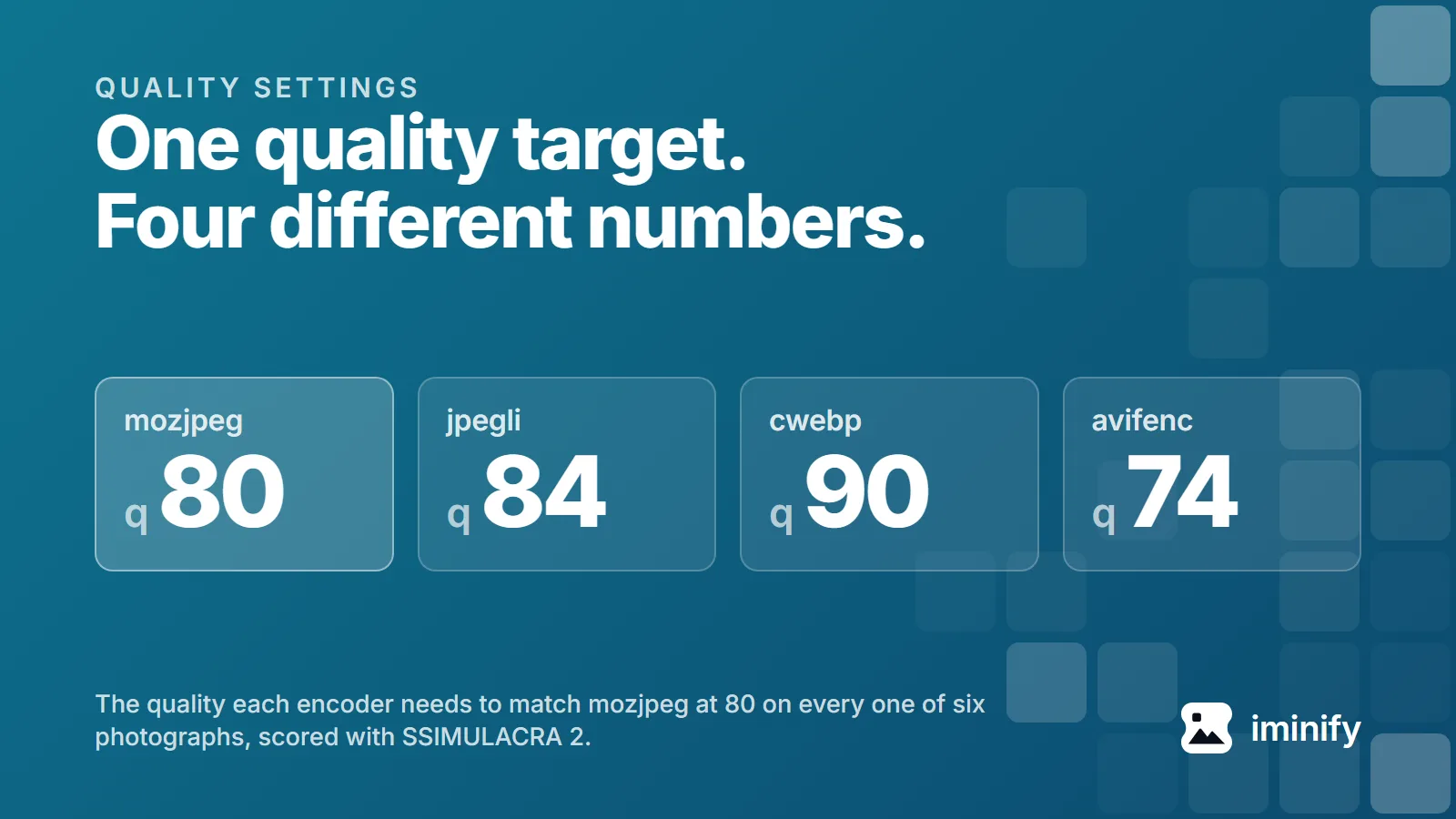
Matching mozjpeg 80 takes jpegli 84, cwebp 90, avifenc 74
For each photograph we took the score mozjpeg produced at 80 and bisected the others to the lowest quality reaching it. The size beside each setting is the file it produced:
| Image | mozjpeg at 80 | jpegli | cwebp | avifenc |
|---|---|---|---|---|
| Fjord | 74.8, 394 KB | q81, 373 KB | q82, 398 KB | q60, 363 KB |
| Raspberries | 79.5, 121 KB | q84, 109 KB | q90, 149 KB | q74, 92 KB |
| Night skyline | 74.7, 189 KB | q82, 175 KB | q86, 201 KB | q65, 154 KB |
| Canoe | 78.1, 159 KB | q83, 139 KB | q89, 160 KB | q70, 109 KB |
| Cafe | 82.6, 161 KB | q84, 141 KB | q90, 153 KB | q74, 102 KB |
| Coffee | 81.9, 56 KB | q84, 47 KB | q86, 36 KB | q74, 26 KB |
| All six | 1,080 KB | 984 KB | 1,097 KB | 846 KB |
The median match is jpegli 83.5, cwebp 87.5, avifenc 72. To clear mozjpeg's 80 on all six, the numbers worth typing, jpegli 84, cwebp 90, avifenc 74.
Now the totals, the part the quality number was hiding. Match the quality instead of copying it and cwebp's six files come to 1,097 KB against mozjpeg's 1,080, more on four of six. jpegli lands about 9% under, avifenc about 22%. On these six photographs, AVIF is the format that saves bytes and WebP the one that doesn't.
One caveat. mozjpeg's 80 is 4:2:2 because of the switch above, while jpegli and cwebp beside it are 4:2:0, so part of the offset is chroma. Forced to -sample 2x2 the fjord scores 73.4 instead of 74.8, under jpegli's 74.2, and the two swap places.
The ranges matter more than the medians: jpegli 81 to 84, avifenc 60 to 74, cwebp 82 to 90. Leave the photographs and it falls apart. On the desktop screenshot cwebp matches mozjpeg at quality 26, because mozjpeg struggles there. One number for a whole site lands every image somewhere in a band that wide, which is what we found within a single encoder last time.
What we'd do with this
Porting a setting between encoders? Start from the numbers above and expect a few points either way. Picking one number for a build step is harder: choose the SSIMULACRA 2 target first, 70 for decoration and 80 for images people look at, then accept the band.
The alternative is to hold no number at all, the job we built Iminify for. Its Smart and Ultra levels search per image for the lowest quality clearing a PSNR floor and then a SSIMULACRA 2 floor, on the lossy paths, so a level means roughly the same result from photo to photo, not the same arithmetic. They're targets, not guarantees: the search runs only under 36 megapixels and its SSIMULACRA 2 half only under 8. For a one-off, pin the format: AVIF for photographs, WebP where support matters, 96.8% against AVIF's 95.4% on caniuse in September 2026.
One container: jpegli at 031a0077f579, mozjpeg v4.1.5 at 6c9f0897afa1, cwebp 1.5.0, avifenc 1.2.1 on aom 3.12.1, ssimulacra2 from libjxl v0.12.0 at a7a9c787341c. The four commands behind every number:
cjpegli SRC OUT.jpg -q N --chroma_subsampling=420   # 444 on screenshots and graphics
cjpeg -quality N -outfile OUT.jpg SRC.ppm          # mozjpeg, otherwise at its defaults
cwebp -quiet -m 6 -pass 10 -mt -metadata none -q N SRC -o OUT.webp   # -sharp_yuv on screenshots and graphics
avifenc -s 4 -q N --ignore-exif --ignore-xmp SRC OUT.avif
mozjpeg needs a PPM because this build has PNG compiled out: the two screenshots, the social card and the WebP photo go through cwebp -lossless and dwebp -ppm, scoring 100 against the source, and the five JPEG photographs through mozjpeg's djpeg, which gives byte-identical output to the JPEG fed straight in. The icon has no mozjpeg column. cwebp and avifenc trail current releases: libwebp 1.6.0, libavif 1.4.2, aom 3.15.0. Every probe shared with the first post came back identical, 475 of 475, to the byte.
Of the six write-ups we read, the five written since 2021 never mention -jpeg_like. Kaufman did, in 2014.