AVIF vs WebP file size: ten images, one quality score, and where WebP still wins
On this page
Five of the fifteen pages we read for "avif vs webp file size" put AVIF 20 to 30% under WebP, ShortPixel among them. Six give no comparable figure, three put it between 11.76% and 50%, and one forum thread reports an AVIF twice the size. We put the ten images of our published corpus through cwebp and two builds of avifenc, bisecting each to the same SSIMULACRA 2 score of 80. The totals: 1,675.4 KB for WebP, 1,114.7 KB for a current AVIF, 33.5% smaller. So the headline is roughly right.
It's also the least useful number here.
If the verdict is all you want: AVIF for photographs and screenshots, WebP for lossless, and WebP again on our one transparent image once both encoders keep the alpha plane lossless.
A third off the total, and a wide spread underneath it
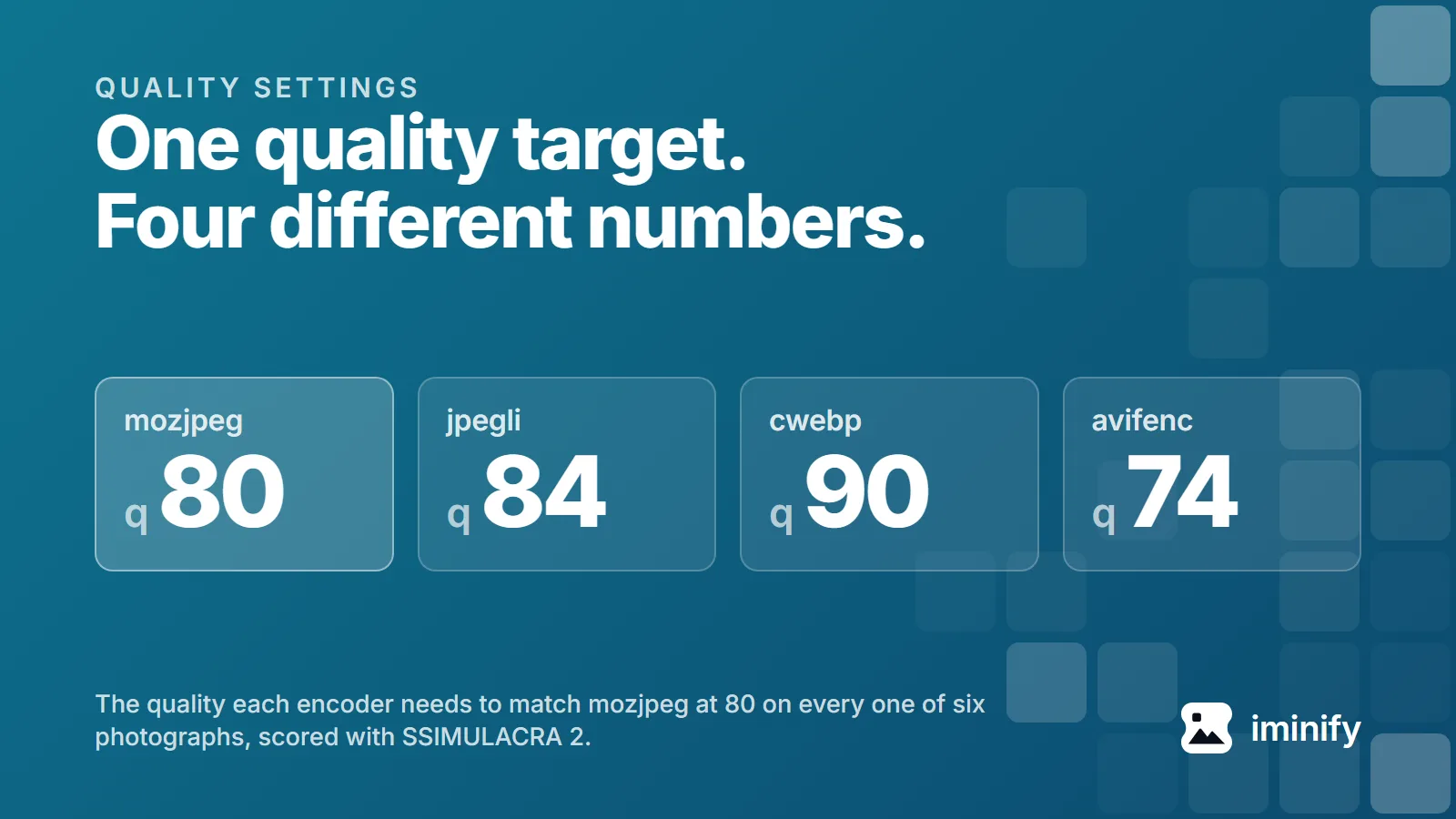
Comparing at a quality setting proves nothing, because quality 80 means a different thing in every encoder. So every image went through a binary search, and the lowest setting whose output reached a SSIMULACRA 2 score of 80 is the row below. The metric's own repository calls 80 "very high quality. Distortion not noticeable... in a side-by-side comparison at 1:1".
| Image | cwebp 1.5.0 | avifenc 1.2.1 | avifenc 1.4.2 | 1.4.2 as % of cwebp |
|---|---|---|---|---|
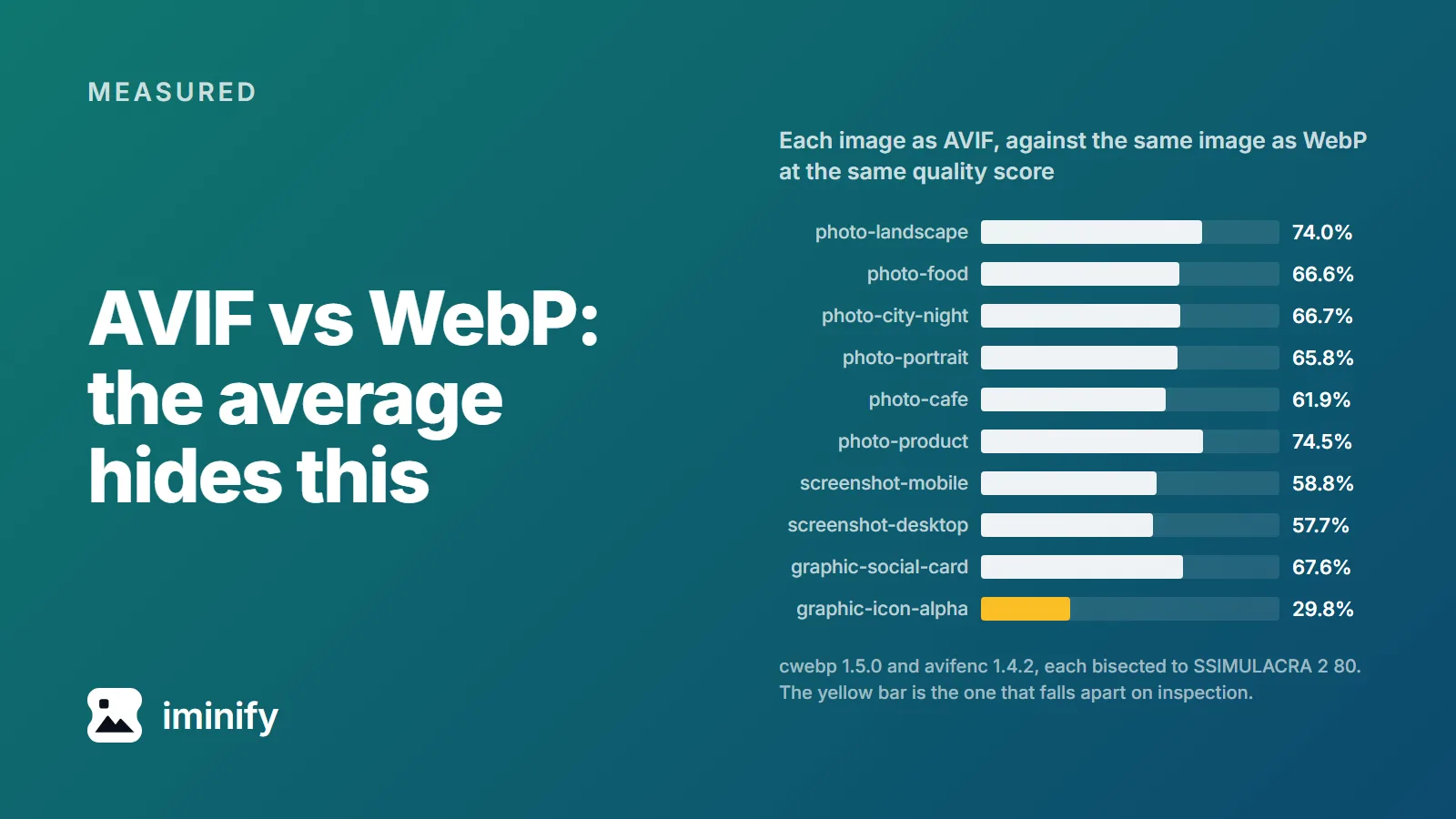
| photo-landscape | q88 / 530.2 KB | q68 / 442.6 KB | q68 / 392.5 KB | 74.0% |
| photo-food | q90 / 153.0 KB | q76 / 103.6 KB | q70 / 101.9 KB | 66.6% |
| photo-city-night | q91 / 273.9 KB | q74 / 203.2 KB | q70 / 182.7 KB | 66.7% |
| photo-portrait | q91 / 194.6 KB | q74 / 134.9 KB | q68 / 128.1 KB | 65.8% |
| photo-cafe | q88 / 133.0 KB | q68 / 83.1 KB | q62 / 82.3 KB | 61.9% |
| photo-product | q82 / 27.5 KB | q70 / 21.0 KB | q56 / 20.5 KB | 74.5% |
| screenshot-mobile | q77 / 168.4 KB | q51 / 126.2 KB | q59 / 99.0 KB | 58.8% |
| screenshot-desktop | q76 / 144.9 KB | q46 / 143.4 KB | q54 / 83.6 KB | 57.7% |
| graphic-social-card | q80 / 24.4 KB | q58 / 15.5 KB | q59 / 16.5 KB | 67.6% |
| graphic-icon-alpha | q44 / 25.5 KB | q33 / 5.7 KB | q22 / 7.6 KB | 29.8% |
| total | 1,675.4 KB | 1,279.2 KB | 1,114.7 KB | 66.5% |
AVIF is smaller on every row, in both builds. But the saving runs from 25.5% on the product photo to 70.2% on the transparent icon, and one figure covering that spread is a fact about our corpus, not about your image.
At a score of 70 the totals are 1,032.0 KB for cwebp and 680.9 KB for avifenc 1.4.2, AVIF ahead on all ten rows again.
The AVIF side has a current build, so the WebP side got one too. Across all twenty cells, ten images at each score, cwebp 1.6.0 needed the same quality as 1.5.0 and wrote byte-identical files in eighteen; both exceptions are the transparent icon, by 46 bytes. libwebp's last release is 1.6.0, from 30 June 2025, whose only compression entry is lossless work, so one WebP column carries this table.
Change the libavif build and the answer moves
Look at screenshot-desktop: on avifenc 1.2.1 it is 143.4 KB against WebP's 144.9, a kilobyte and a half apart. On avifenc 1.4.2, same file, same score, it is 83.6 KB. The format didn't change. The build did.
Those two builds are two libavif minor versions apart, 1.2 to 1.4, and three libaom ones, 3.12 to 3.15. libavif 1.4.0 made AOM_TUNE_IQ the default when encoding "still non-RGB color samples with libaom v3.13.0 or later", and gave it a new quality-to-quantizer table: the change we measured in March.
libaom's own header says AOM_TUNE_IQ increases quality "guided by the SSIMULACRA 2 metric and subjective quality checks", which is the metric we score with. A current avifenc is tuned toward our judge, and cwebp has no answer to it: its one metric target, -psnr, aims elsewhere. Hence the control, -a tune=ssim, which puts the encoder back on the older tuning and mapping.
Add the six photograph rows up and the control gives 1.2.1's bytes back, 991.7 KB against 988.4 KB, where 1.4.2 at its default is 908.0 KB, 8.1% under 1.2.1. On photographs, the whole of the new build's gain is the tuning. Add the two screenshot rows and it does the opposite: 174.3 KB against 1.2.1's 269.6 KB, under 1.4.2's own 182.6 KB as well. So none of the screenshot gain is the tuning or its new mapping. What did move it is somewhere else between the two builds, and we haven't chased it. Note also that libavif turns the tuning off for lossless and puts alpha on AOM_TUNE_PSNR: neither place WebP wins is downstream of it.
AVIF's transparency win is an alpha default
The transparent icon is AVIF's best row by a distance, 7.6 KB against 25.5 KB, and it doesn't survive a look at the alpha channel.
cwebp's -alpha_q defaults to 100, its lossless setting for the alpha plane. avifenc mirrors the colour quality into it, so at -q 22 the transparency is quality 22 too. Re-bisected with --qalpha 100 on the AVIF side, so both keep transparency intact:
cwebp 1.5.0                      q44   25,494 B   score 80.23
avifenc 1.2.1                    q33    5,711 B   score 81.07
avifenc 1.4.2                    q22    7,552 B   score 82.44
avifenc 1.2.1 --qalpha 100       q30   39,892 B   score 80.13
avifenc 1.4.2 --qalpha 100       q12   41,315 B   score 80.55
  the same at a fixed quality:   q22   41,963 B   score 83.75
With transparency treated the same way, WebP's 25.5 KB is 38.3% smaller than the current AVIF's 41.3 KB. The 70.2% saving came from coding the alpha plane at quality 22, and the score let it through. Not blindly, though: ssimulacra2 blends an image that has alpha against a dark and a bright background and keeps the worse score, and it charged 1.31 points: at a fixed quality 22, keeping the plane scores 83.75 against 82.44. Not enough to fail a floor of 80, so a search that stops at a score spends almost nothing on transparency.
Strike that row and the spread across the other nine images is 25.5% to 42.3%.
AVIF is also carrying more colour than lossy WebP can. VP8, the lossy WebP bitstream, "works exclusively with an 8-bit YUV 4:2:0 image format", while avifenc wrote 4:4:4 on all ten sources. Levelled to --yuv 420 against cwebp with -sharp_yuv off, AVIF still won the mobile screenshot and the social card, and the icon again for the reason above. On the desktop screenshot neither plain run reached 80.
Lossless belongs to WebP
Lossless is the other place the answer flips, and lossless WebP runs on another bitstream: VP8L, not VP8. The same four images at each encoder's slowest, cwebp -lossless -z 9 against avifenc --lossless -s 0:
| Image | source PNG | cwebp 1.5.0 | cwebp 1.6.0 | avifenc 1.2.1 | avifenc 1.4.2 |
|---|---|---|---|---|---|
| screenshot-mobile | 982.2 KB | 528.6 KB | 528.7 KB | 1,012.1 KB | 813.1 KB |
| screenshot-desktop | 310.4 KB | 145.1 KB | 145.0 KB | 296.2 KB | 379.1 KB |
| graphic-social-card | 213.4 KB | 140.5 KB | 140.8 KB | 235.2 KB | 235.7 KB |
| graphic-icon-alpha | 115.6 KB | 24.8 KB | 24.8 KB | 120.4 KB | 123.0 KB |
Against each avifenc 1.4.2 file, WebP is 35.0%, 61.7%, 40.4% and 79.8% smaller, in that order. Worse for AVIF: on the desktop screenshot, the social card and the icon, that run produced a file larger than the PNG we fed it, by 68.7, 22.3 and 7.4 KB. This is where the two cwebp builds separate most, by 114, 66, 312 and 52 bytes. If you need every pixel of a screenshot or a logo, lossless WebP is the answer, by a factor of 1.5 to 5.
AVIF encoded faster here, which is a settings story
Of those fifteen pages, the five that mention encode time all say AVIF is the slow one. At the quality each encoder needed for a score of 80, on a 20-core machine, avifenc 1.4.2 was faster on seven of the ten: 15.35 seconds against cwebp's 27.46 seconds.
That's about our settings. On an image this size Iminify asks cwebp for -m 6 -pass 10, the slowest value of both its effort knobs, and avifenc for -s 4 on a scale where 0 is slowest. Two controls on the landscape photo, median of five runs each:
cwebp -m 6 -pass 10 -mt    5.417 s   530,190 B
cwebp -m 6 -pass 10        5.351 s   530,190 B
cwebp (defaults)           0.242 s   542,796 B
-mt buys nothing on this file, though on the transparent icon it is about 22% faster for identical bytes. The alpha plane gets a worker of its own, and a photograph has none. Whatever else -mt threads at these settings is too small to show. avifenc reports twenty worker threads. And cwebp at its own defaults is 22.4 times faster here, for 2.4% more bytes.
What we'd ship
For photographs and screenshots on a page, AVIF, and it isn't close: 25% to 42% off at the same measured quality, from a build no older than March 2026. Our pages for the two jobs: JPG to AVIF and PNG to AVIF. Even without the new tuning AVIF wins the corpus: the 1.2.1 column is 23.6% under WebP's total. Check yours with avifenc --version: on 1.2.1 you're leaving two thirds of the screenshot saving behind. What it's worth at the size you render is the other half of this question.
For anything with transparency, measure both, and pass --qalpha 100 before you believe the AVIF. For lossless, WebP.
On support the old answer holds, thinly: on caniuse today, 21 September 2026, WebP is at 96.82% against AVIF's 95.36%, Safari 16.1 to 16.3 partial on AVIF. Serve AVIF with a WebP fallback and you've covered both.
Our compressor does most of this on Auto, picking whichever output is smallest and never JPG for an image with transparency. Transparency is the case worth checking by eye, for the reason the alpha section gives.
Run it yourself
The corpus is the ten files of our first post, at /image/showcase/{slug}/original.{ext} on this site. Two preparation steps. Our pipeline strips a PNG source's colour chunks, so do the same with optipng -o0 -strip all file.png, which rewrites the file in place; of the four PNG sources only the icon carried any. And photo-product needs dwebp first, since it arrives as a lossy WebP that neither avifenc nor ssimulacra2 reads. Then, for the landscape photo at the qualities the table gives:
cwebp -quiet -m 6 -pass 10 -mt -metadata none -q 88 photo-landscape.jpg -o out.webp
dwebp -quiet out.webp -o from-webp.png
ssimulacra2 photo-landscape.jpg from-webp.png

avifenc -s 4 -q 68 --ignore-exif --ignore-xmp photo-landscape.jpg out.avif
avifdec out.avif from-avif.png
ssimulacra2 photo-landscape.jpg from-avif.png
Add -sharp_yuv for the screenshots and flat graphics, as our encoder does for whatever its flatness-and-colour-count test calls a graphic. Versions: cwebp 1.5.0 with libsharpyuv 0.4.1, avifenc 1.2.1 with aom 3.12.1, avifenc 1.4.2 with aom 3.15.0, and ssimulacra2 from libjxl v0.12.0, revision a7a9c787341c.