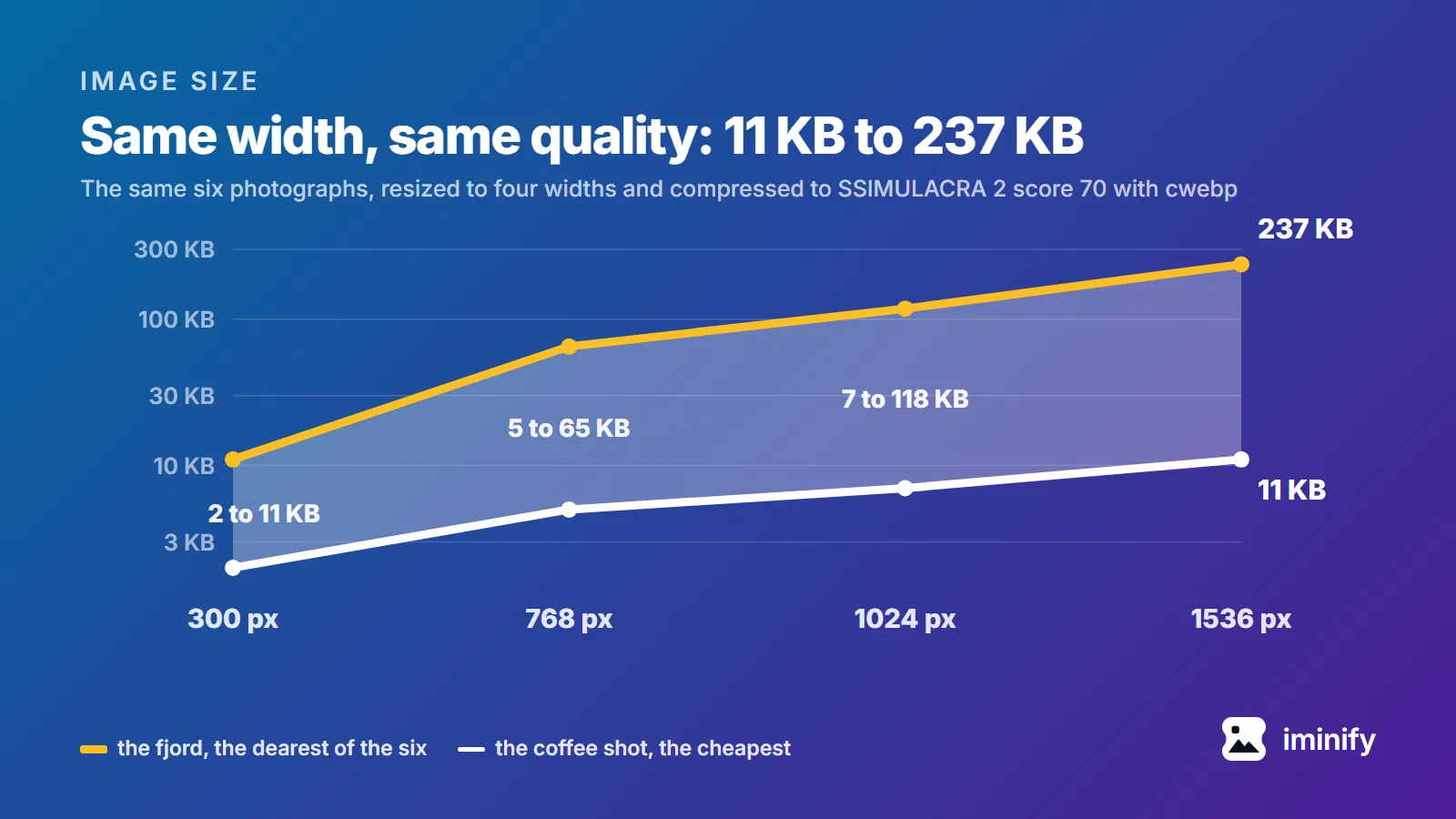
The pages that rank for "image size for website in kb" don't agree. We opened four and read what each recommends for one full-width hero image. ShortPixel says 200 KB or less. ForegroundWeb says every image on the site should be "less than 500 KB". HubSpot says "The file size is recommended at 10 MB" and adds that smaller is better, and Shopify's blog labels a hero the same, with 20 MB for a background. Fifty times between tightest and loosest, for the same picture in the same slot. Three of them pair the figure with a pixel size, which is the right instinct, and one suggests a JPEG quality to save at. None says what visual quality its number actually buys. So we measured it: ten images, four widths, three encoders, every file held to the same visual quality score. The tool that will judge the page has had a budget all along, and none of those four pages mentions that budget.
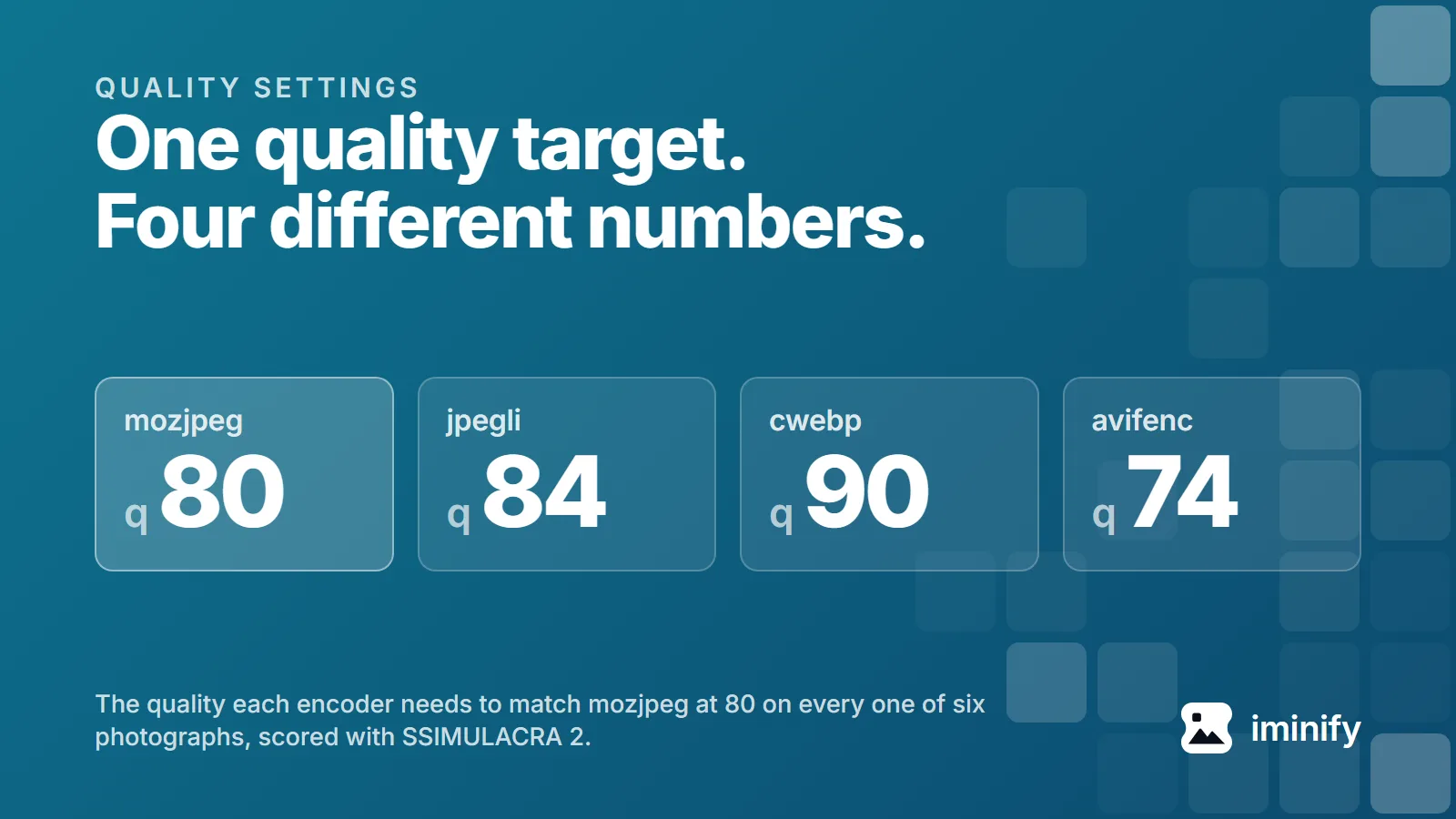
We set four encoders to quality 80 and pointed them at one photograph, an 1800x1200 shot of a fjord. jpegli scored 74.2 on the SSIMULACRA 2 scale, mozjpeg 74.8, cwebp 72.8, avifenc 85.5. One picture, one number typed into four tools, and nearly thirteen points between the best result and the worst. Quality 80 names four unrelated parameters that happen to share a range. We measured what each produces across ten public images, worked backwards to the number every encoder needs to land in the same place, and read all four sources to see why they disagree.
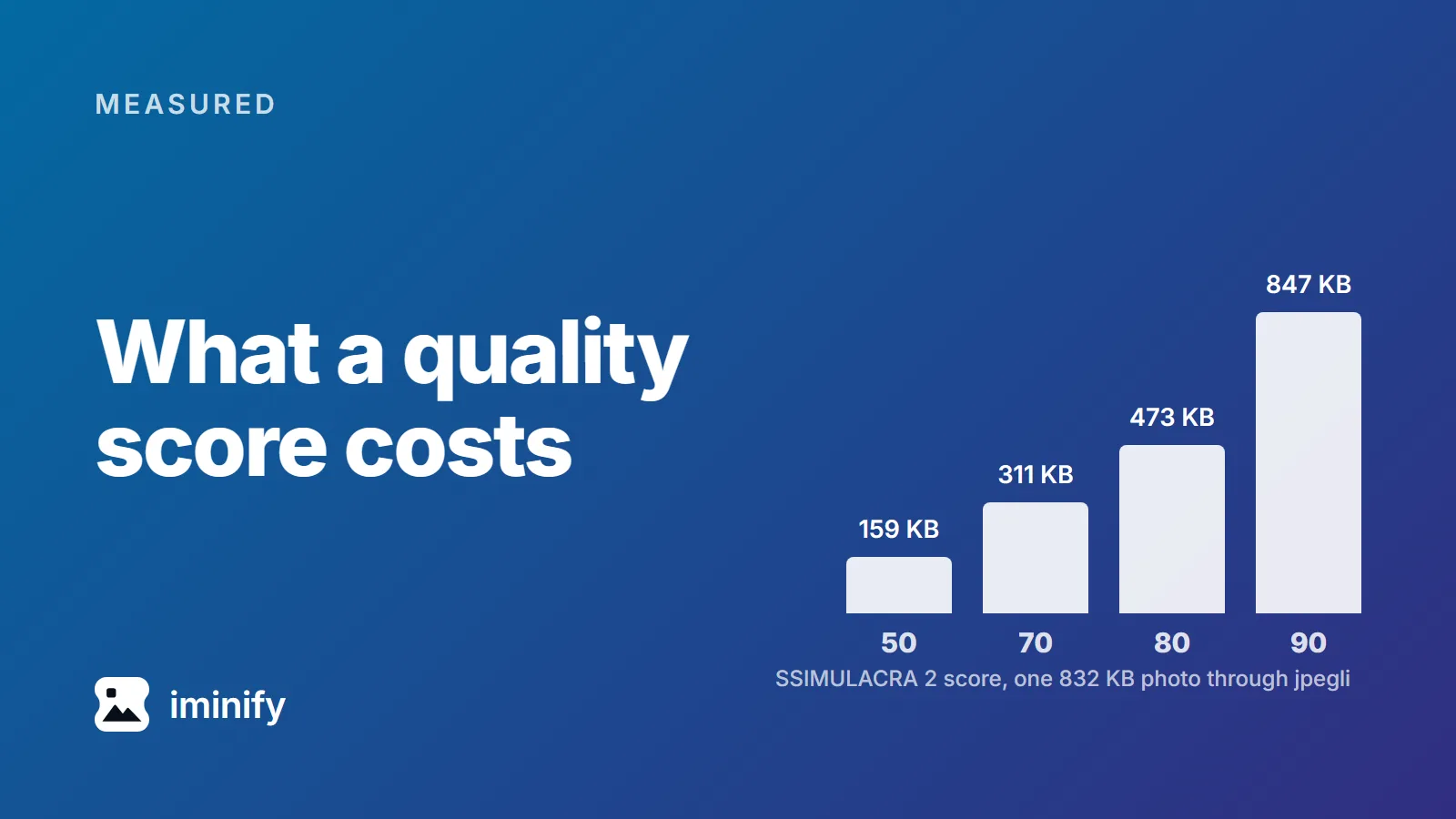
We ran cwebp at quality 75 over ten images, at the settings below. A night skyline came out at 63.0 on the SSIMULACRA 2 scale, an app icon at 83.1. Same encoder, same quality number, twenty points apart, and 63 sits below the line the scale calls "artifacts are perceptible, but not annoying". A quality number tells the encoder how hard to try. SSIMULACRA 2 describes what came out, on a scale topping out at 100, and means much the same for a JPEG, a WebP or an AVIF. So we measured what each point costs: ten public images, three encoders, a grid of quality settings across each encoder's range, bisected around each target.
·
8 min read
Try it on your own images
Drop a photograph in, pick Smart, and compare the result with the original before you download. Free, no account needed.
Google Ads and Google Analytics cookies show us which pages bring people here and let us show our ads to people who have visited.
Accept keeps them on; Reject turns them off and removes the ones we can reach.
Signing in and your theme work either way.
Cookie details