Do AI images hurt SEO? What Google's pages say, and what a 2K Gemini picture did to a page
On this page
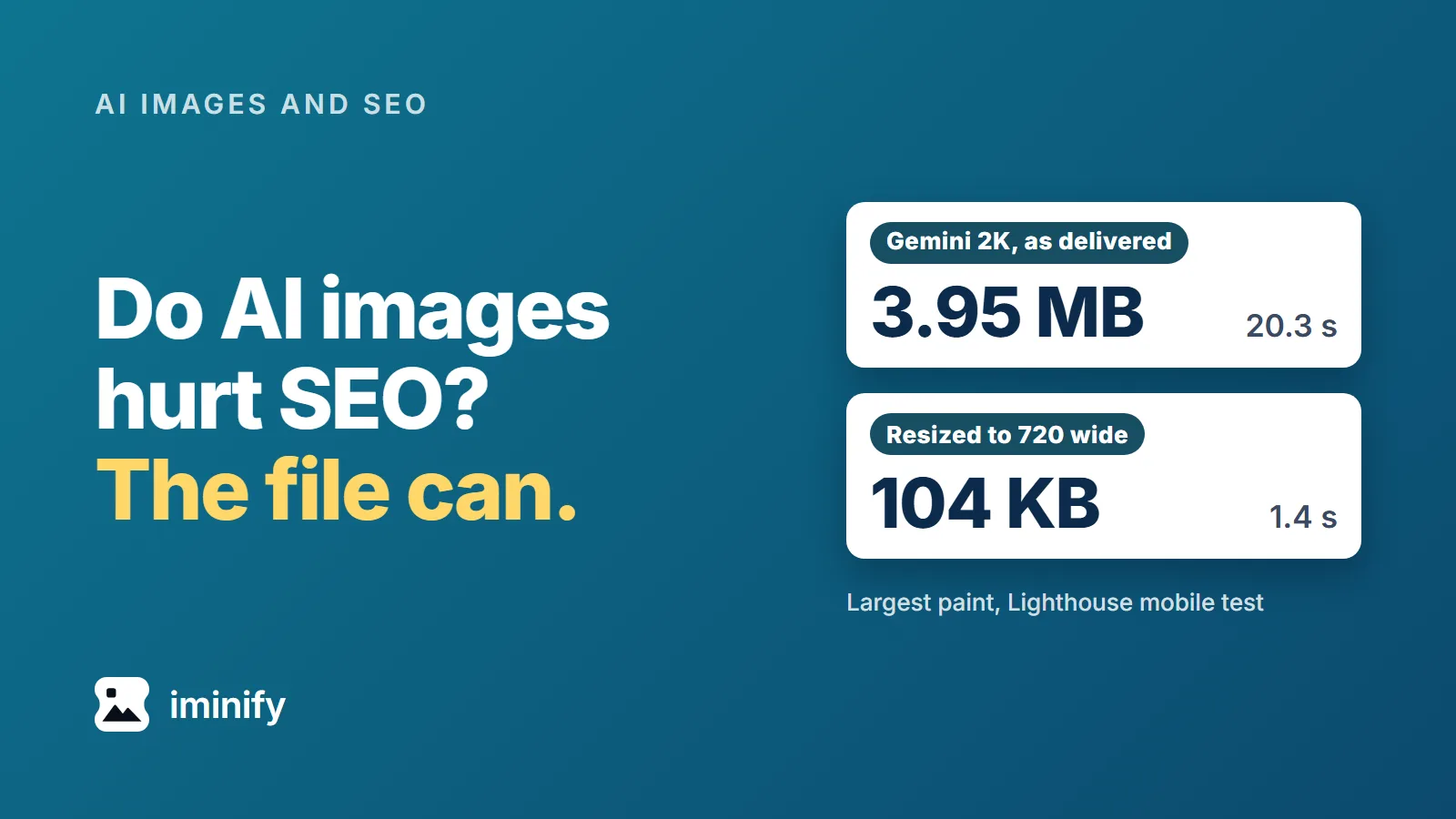
We put Gemini pictures on a plain article page, one size at a time, and ran Lighthouse's mobile test on each. Straight from the generator, the 1K file (1.06 MB) took 6.2 seconds to become the page's largest paint (LCP), the 2K file (3.95 MB) took 20.3 seconds and the 4K file (10.51 MB) took 52.4 seconds. Google's target for that metric is 2.5 seconds.
Do AI images hurt SEO? In the Google pages we read, nothing marks an image down for being AI-made. The file is another matter: the same 2K picture, resized and compressed to 104 KB, took 1.4 seconds. Iminify's compressor also drops the C2PA manifest that marks a Gemini file as AI-made, and Google's Merchant Center asks sellers to keep an IPTC tag that says the same.
Does Google mark down an image for being AI-made?
Google's guidance judges content by quality. Its February 2023 post on AI-generated content says its focus is "the quality of content, rather than how content is produced", and its FAQ answers "Appropriate use of AI or automation is not against our guidelines." The spam policy (last updated 28 August 2026) names a narrower case: using generative AI tools "to generate many pages without adding value for users". Google's page on generative AI content (last updated 1 October 2026) has one rule that names AI-generated images, and it's for shops.
The Search Quality Rater Guidelines (11 September 2025 edition) do mention images. Raters are told to give the Lowest rating when all or almost all of a page's main content, images included, is AI generated with little to no effort, originality or added value. The same section says "a high level of effort may be involved in creating high quality original artwork using Generative AI tools". Google says those ratings "don't directly influence ranking". Our reading: the rules judge what a page gives its readers.
Asked whether a legitimate page with AI-generated images would be penalised, Google's Gary Illyes answered, in Search Engine Journal's report of 11 August 2025: "you will have to sacrifice some resources to those images" and "I don't think that you're going to see any negative impact from that." We didn't check SEJ's wording against the video. Four of the six pages we opened from a search for this question on 25 October 2026 carry that answer, and none of the six measures a file.
Google's image guide (last updated 2 March 2026) says "images are often the largest contributor to overall page size, which can make pages slow and expensive to load."
What a Gemini picture did to a page
The test page has a heading, the picture and four short paragraphs, with no scripts and no web fonts. The picture was the largest paint in all 35 runs: seven pages, five runs each. Lighthouse 13.5.0's mobile test simulates a 1.6 Mbps connection and a processor four times slower. Across the table, a heavier file always meant a later paint. Medians:
| Picture on the page | File | Pixels wide | Largest paint (LCP) |
|---|---|---|---|
| Gemini 1K JPEG, as delivered | 1.06 MB | 1376 | 6.2 s |
| Gemini 2K JPEG, as delivered | 3.95 MB | 2752 | 20.3 s |
| Gemini 4K JPEG, as delivered | 10.51 MB | 5504 | 52.4 s |
| 1K through Iminify Smart, WebP | 334 KB | 1376 | 2.56 s |
| 2K through Smart, WebP | 1.23 MB | 2752 | 6.9 s |
| 2K through Smart, WebP, resized to 1440 | 352 KB | 1440 | 2.7 s |
| 2K through Smart, WebP, resized to 720 | 104 KB | 720 | 1.4 s |
MB means a million bytes and KB a thousand.
Google's Core Web Vitals page says to aim for an LCP within 2.5 seconds, and web.dev says to judge it at the 75th percentile of real page loads. Ours is a lab number on a test page: it shows how much the file matters, and your visitors' numbers will differ. Google's page experience guide says "Core Web Vitals are used by our ranking systems", and that getting good results "doesn't guarantee that your pages will rank at the top of Google Search results".
The Gemini app's help page says downloads come "at 2K resolution with a Google AI plan or at 1K without an AI plan". We tested the API's files, which our test of 52 Nano Banana images measured at these sizes, not the app's downloads. That post's compressed sizes come from a quality search of its own, so they differ from Smart's.
A WebP cut the 2K wait by two thirds, but only the 720-wide copy cleared 2.5 seconds
Smart turned the 2K JPEG into a WebP under a third of its weight, and the page still took 6.9 seconds. The same picture at 1440 pixels wide came to 352 KB and 2.7 seconds. At 720 wide it was 104 KB and 1.4 seconds, the only copy that cleared 2.5 seconds. Lighthouse's image insight still estimated 63 KB of savings on it. The 1K picture as a WebP missed by 0.06 seconds.
Our SSIMULACRA 2 scores for the four WebPs run from 83.8 to 86.0 (on that scale 70 is "high quality" and 90 is "visually lossless"). The two resized copies are scored against the original after we resized it with ImageMagick.
The phone in the test showed the picture 380 CSS pixels wide, which Lighthouse counted as 665 device pixels (1.75 per CSS pixel). 720 is just above that. Resize to the width the page shows the picture at, times the device pixels per CSS pixel you want to serve, then compress. Iminify's compressor does both, and a page scan collects the images a live page loads and compresses them. We measured what ten images cost at four widths.
Compression drops the C2PA manifest, and Merchant Center asks for an IPTC tag
The Gemini files we opened carry no XMP and no IPTC fields. Their only AI metadata is a C2PA manifest, the signed record of how a file was made: it holds the source type trainedAlgorithmicMedia beside "Created by Google Generative AI." Smart's output had none of it: no manifest and no metadata at all, in all seven results we checked (four WebPs and three JPEGs). The 1K JPEG came back byte for byte the same with Keep EXIF on and off, since there's no EXIF to keep. Iminify drops a manifest on every file it re-encodes, and our test of 13 tools, Iminify among them, found that most dropped it.
Merchant Center says "All images created using generative AI must contain meta data indicating that the image was AI-generated" and "Don't remove embedded metadata tags such as the IPTC DigitalSourceType property from images created using generative AI tools" (the page shows no date; we read it on 25 October 2026). The generative AI page above suggests "adding image metadata" to show how content was made. The image metadata page says C2PA details from a signer on the C2PA trust list may appear in "About this image".
Merchant Center names the IPTC property, so that's the one to add. IPTC's standard stores it as a URI, and exiftool wrote the bare word trainedAlgorithmicMedia as it was given, so use the full address. Run it on the compressed copy:
exiftool -overwrite_original -XMP-iptcExt:DigitalSourceType=http://cv.iptc.org/newscodes/digitalsourcetype/trainedAlgorithmicMedia photo.jpg
exiftool -XMP-iptcExt:DigitalSourceType photo.jpg
The second command prints the address back. On a JPEG and a WebP of ours the tag added about 2.9 KB and changed no pixel: the decoded files hashed the same. Tag only pictures that are AI-generated. Google says it doesn't guarantee IPTC metadata will show up in results, and we didn't test Merchant Center, so a tag that reads back is as far as we vouch for it. A platform that makes its own copies, as WordPress does, may not carry the tag into them; we didn't test that.
Rename the file and check the alt text
Google's image guide says "my-new-black-kitten.jpg is better than IMG00023.JPG", and that alt text is the "most important attribute" for giving an image more metadata. Rename the file, and read any alt text a tool wrote before it goes live.
How we measured
The pictures are Nano Banana 2 (gemini-3.1-flash-image) files from our 23 September 2026 sample set, the same harbour prompt at 16:9 in 1K, 2K and 4K, as the Gemini API returned them. We compressed the 1K and 2K files through Iminify's API on 25 October 2026 at Smart, to WebP (and to JPG for the metadata check), with a width of 1440 and 720 for the resized copies.
Lighthouse 13.5.0 ran under Chrome 155 on Windows 11 through npx [email protected] <url> --only-categories=performance --chrome-flags="--headless=new", at its mobile defaults (simulated throttling). Each round loaded all seven pages, five rounds in all. Every run's report confirmed the picture loaded once and was the largest paint. SSIMULACRA 2 scores come from ssimulacra2 in libjxl 0.12.0, metadata from exiftool 13.25.
We tested one generator, one prompt and one test page. Google's image generation page (last updated 9 October 2026) now calls Nano Banana 2 the previous generation and recommends Nano Banana 2.1, and we didn't test 2.1, ChatGPT or Midjourney files.