What image quality does Next.js ship? WebP 75, AVIF 47 if you list it, and by default a 90 becomes 75
On this page
We built a Next.js 16.4.3 app with four images on one page, two of them declared with quality={90} and quality={100}. All 36 image addresses in the page's HTML said q=75. We also asked the image endpoint for q=90 directly, and it answered HTTP 400: "q" parameter (quality) of 90 is not allowed.
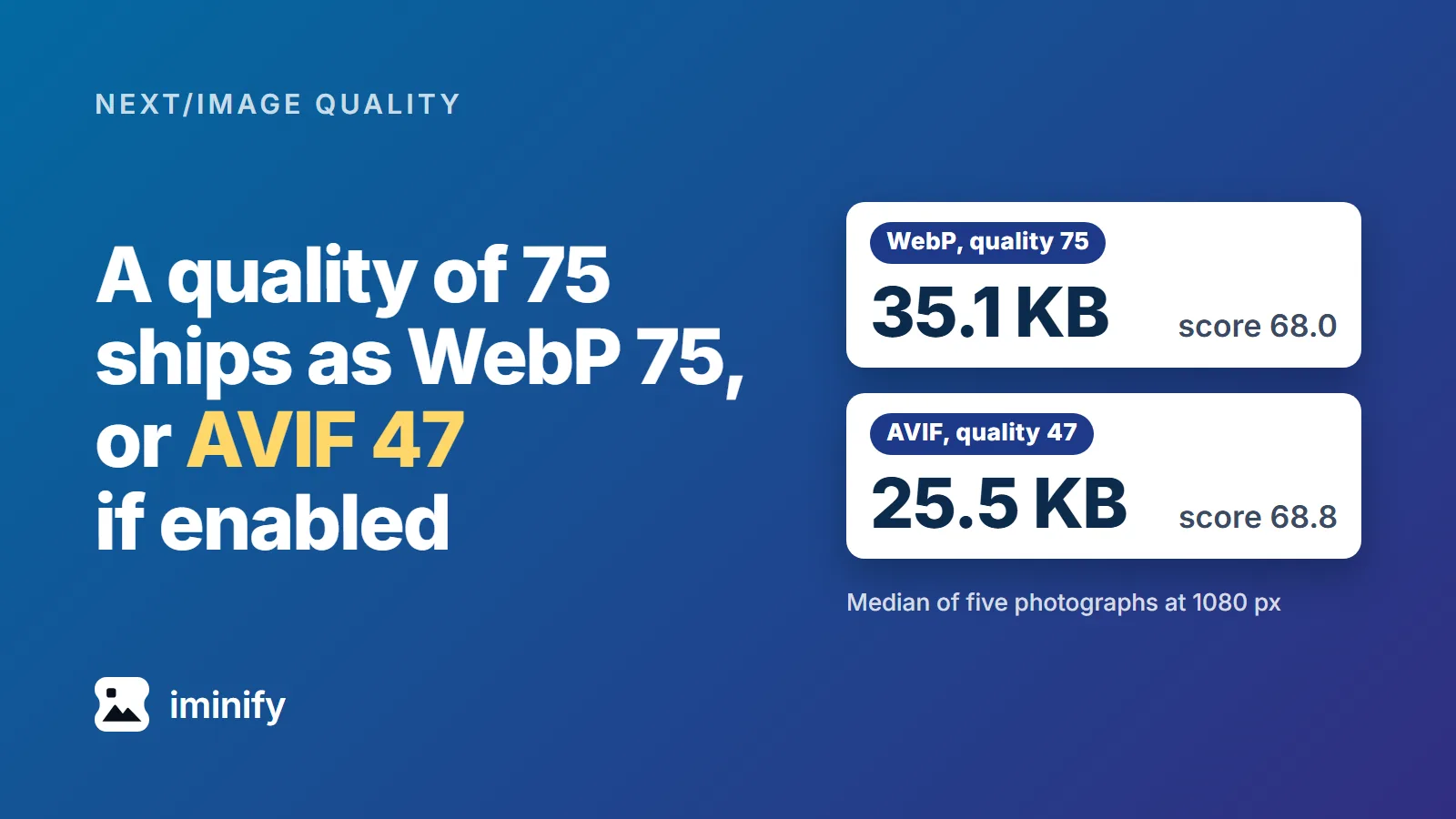
That is Next 16's default: the list of allowed qualities is [75], and the component moves anything else to the nearest entry. This post follows the 75 to the encoder, in WebP and in AVIF if you switch it on, across 867 requests to a self-hosted /_next/image on nine source images. The default WebP puts one of our five photographs at 1080 px above 70, the "high quality" mark on SSIMULACRA 2, a perceptual score. AVIF at the same setting was 36.5 percent smaller across our 27 image and width combinations, and more than 3 points below WebP on score in 8 of them.
A default Next 16 app serves quality 90 at 75
The component builds each image address with the closest entry of images.qualities, which has defaulted to [75] since Next 16.0.0. The docs add the other half: "If the REST API is visited directly with a quality that does not match a value in this array, the server will return a 400 Bad Request response." Our page and our request did exactly that.
A Hashnode post of 15 December 2025 on blurry Next.js images uses quality={100} in its example, calls 85 to 90 "a sweet spot", and never mentions qualities. In a default Next 16 app those come out at 75.
To get 90 you list it:
// next.config.mjs
export default {
  images: {
    qualities: [75, 90],
  },
}
With that config the image that asked for quality={90} got q=90 in its address, and the one that asked for 100 got 90, the nearest entry.
What 75 becomes in each format
In 16.4.3, optimizeImage gives sharp the quality as it is for WebP, JPEG and PNG, and Math.max(Math.round(quality * (50 / 80)), 1) at effort 3 for AVIF. Next's comment says the ratio comes from sharp's own defaults of 80 and 50 and was verified with dssim and SSIMULACRA 2. So 75 reaches sharp's AVIF encoder as 47, and 100 as 63, the most it can send. Our AVIF quality post measured sharp at its own defaults, quality 50 at effort 4.
16.3.6 and 16.5.0-canary.27 have the same AVIF, WebP and PNG lines. Calling sharp 0.35.5 directly with these options reproduced all 120 responses we tried, byte for byte.
| Output | What sharp gets at 75 | Chroma | Five photographs at 1080 px: median size, median score |
|---|---|---|---|
| WebP (the default) | webp({ quality: 75 }) |
4:2:0 | 35.1 KB, 68.0 |
AVIF (if listed in formats) |
avif({ quality: 47, effort: 3 }) |
4:4:4 | 25.5 KB, 68.8 |
JPEG (neither WebP nor AVIF in Accept) |
jpeg({ quality: 75, mozjpeg: true }) |
4:2:0 | 55.3 KB, 74.5 |
On the SSIMULACRA 2 scale from our first post, 70 is "high quality... Artifacts are perceptible, but not annoying." At 1080 px the default WebP clears 70 on one of the five photographs, the raspberries at 70.9, and the other four score between 64.0 and 68.5.
The same number is a different quality in each encoder. Our post on four encoders set four of them to 80 and got scores from 72.8 to 85.5 on one photograph.
AVIF at 47 was smaller in every cell, and not always as good
The docs say AVIF "compresses 20% smaller compared to WebP". Over our 27 image-and-width cells at quality 75, AVIF was smaller in all 27 and 36.5 percent smaller in total, between 18 and 55 percent per cell.
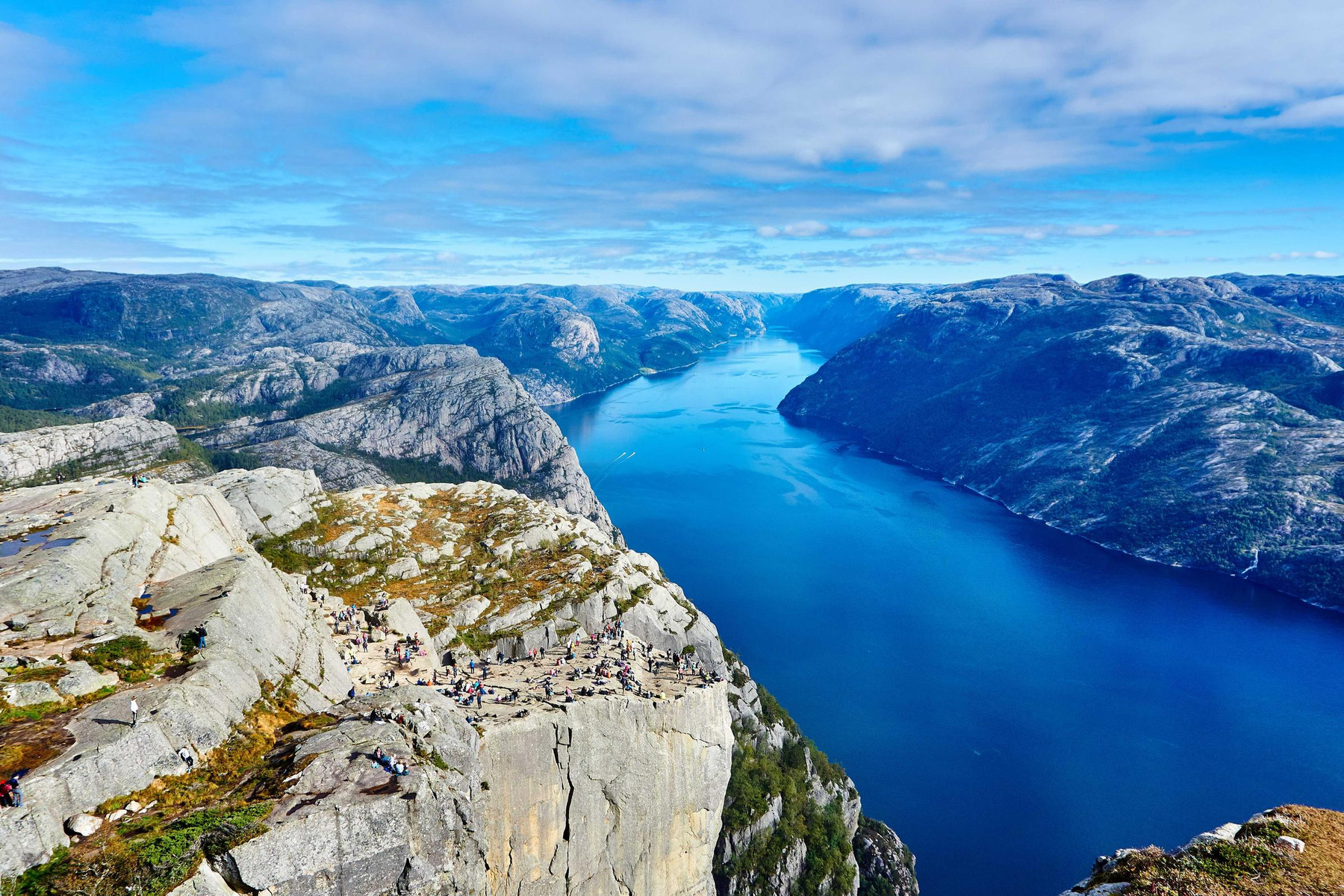
On the five photographs at 1080 px the medians match, 68.8 against 68.0. Across all 27 cells, AVIF scored more than 3 points below WebP in 8, more than 3 above in 5, and within 3 in 14. The fjord photograph is the extreme: at 1080 px, 62,891 bytes and a score of 58.1 as AVIF, 123,716 bytes and 68.0 as WebP. AVIF at 90 (90,109 bytes, 68.3) is what it takes to match that WebP, and it is still 27 percent smaller.
The docs also say AVIF "generally takes 50% longer to encode". Next's own optimizeImage, called on our five photographs at 1080 px, took 4.8 times as long for AVIF as for WebP at the median, and 3.4 to 6.2 times on each photograph: 61.7 to 81.8 ms for WebP against 207.3 to 505.6 ms for AVIF on one 16-CPU machine. Our AVIF against WebP post found avifenc faster on seven of ten images, with cwebp at its slowest settings. Next's WebP runs at sharp's default effort 4, on a scale of 0 to 6.
What each quality buys on photographs
Median size and median score of the five photographs at 1080 px, at the qualities Next could be asked for:
quality |
WebP size | WebP score | AVIF size | AVIF score |
|---|---|---|---|---|
| 75 | 35.1 KB | 68.0 | 25.5 KB | 68.8 |
| 80 | 43.9 KB | 73.1 | 28.8 KB | 71.2 |
| 85 | 55.7 KB | 77.6 | 30.4 KB | 72.5 |
| 90 | 81.7 KB | 82.2 | 36.0 KB | 75.1 |
| 100 | 205.5 KB | 88.6 | 45.2 KB | 78.3 |
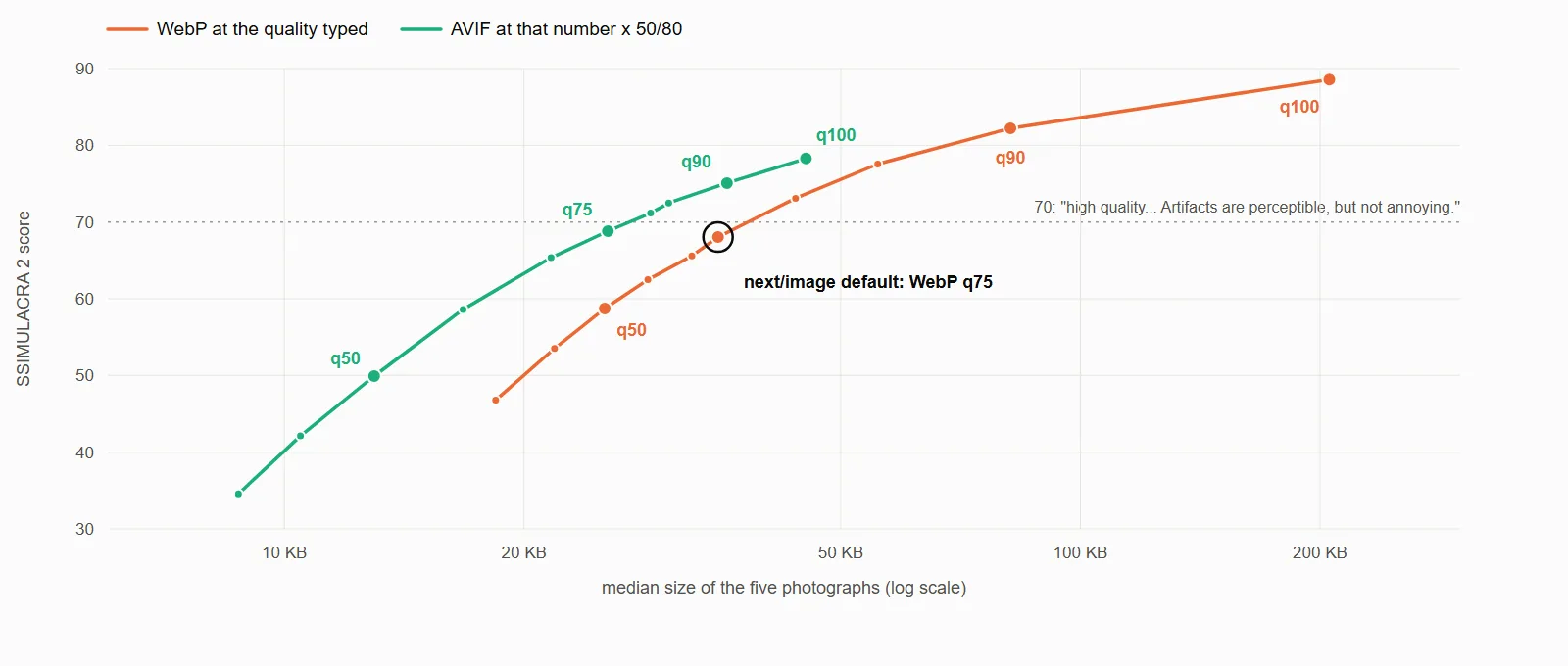
WebP gets expensive quickly. 90 costs 2.3 times the bytes of 75 for 14 more points, and 100 costs 5.9 times for about 20. It is still lossy at 100: every one of our 270 WebP files was lossy. AVIF climbs slowly and stops. Its 100 is AVIF quality 63, and only the café photograph reached 80 on it (80.2). Even so, AVIF at 100 costs 1.29 times the default WebP's bytes and scores about 10 points higher.
What we'd list in qualities
On WebP alone we'd add 80. At 1.25 times the bytes of 75 it moves the median photograph from 68.0 to 73.1, and four of the five clear 70. The fifth, the night skyline, reaches 69.7. We'd keep 90 for a hero or a product shot that earns 2.3 times the bytes.
With AVIF on, 90 scored higher than the default WebP on all five photographs, in fewer bytes on three of them. The median size is 36.0 KB against 35.1 KB, and the median score 75.1 against 68.0. It is the setting we'd try first, with the longer encode time above as the price. Next sends one number for both formats, though: a browser with no AVIF in its Accept line gets WebP at 90, 81.7 KB. And check your own worst photograph before trusting a median. Our fjord needed AVIF at 90 just to match the WebP.
With neither WebP nor AVIF in the Accept line, you get mozjpeg and a palette PNG
A client whose Accept line names neither WebP nor AVIF gets JPEG sources as JPEG and PNG sources as PNG. JPEG goes through mozjpeg, progressive, at 4:2:0: a median of 55.3 KB and a score of 74.5 on the five photographs, against 35.1 KB and 68.0 for WebP at the same number. PNG goes through png({ quality }), which turns palette output on. Our transparent icon came back with 13 colours at 1080 px and an alpha channel off by up to 49 steps of 255, where the WebP's alpha was exact.
How we measured
We ran Next.js 16.4.3 with next build and next start in a container, on sharp 0.35.5 (libvips 8.18.7, libwebp 1.6.0, aom 3.15.1). The images are nine files from our first post's corpus, byte for byte as Iminify's showcase serves them: five 1800x1200 photographs, two screenshots, a social card and a transparent icon. Each went out at 640, 1080 and 1920 px, three of Next's default widths (an image narrower than the width comes back at its own size), at ten qualities from 30 to 100, with three Accept lines: Chrome 155's, image/jxl,image/avif,image/webp,image/apng,image/svg+xml,image/*,*/*;q=0.8, one with WebP and no AVIF, and one with neither. That is 810 requests to a server whose config lists AVIF and all ten qualities. A second server on the default config took 54 quality-75 requests, sent with two of the three Accept lines, and three direct ones that answered 400, so 867 requests and 864 images in all.
KB here means 1,000 bytes. We scored each answer with ssimulacra2 from libjxl v0.12.0 against the same sharp resize written losslessly, so the score covers the encode alone. The icon was flattened onto white first. These are our scores of Next's output from a self-hosted server. We didn't test a hosted optimizer.
To pull one answer yourself, add formats: ['image/avif', 'image/webp'] to the config above, save the fjord from that corpus as public/photo-landscape.jpg, run next build and next start, and ask:
curl -s -D - -o photo.avif -H 'Accept: image/avif,image/webp,*/*' \
  'http://localhost:3000/_next/image?url=%2Fphoto-landscape.jpg&w=1080&q=90'
The headers should say Content-Type: image/avif. We got Content-Length: 90109 on Linux x64 with sharp 0.35.5, and a build for another platform may differ.