What AVIF quality setting should you use? The answer changed in March 2026
On this page
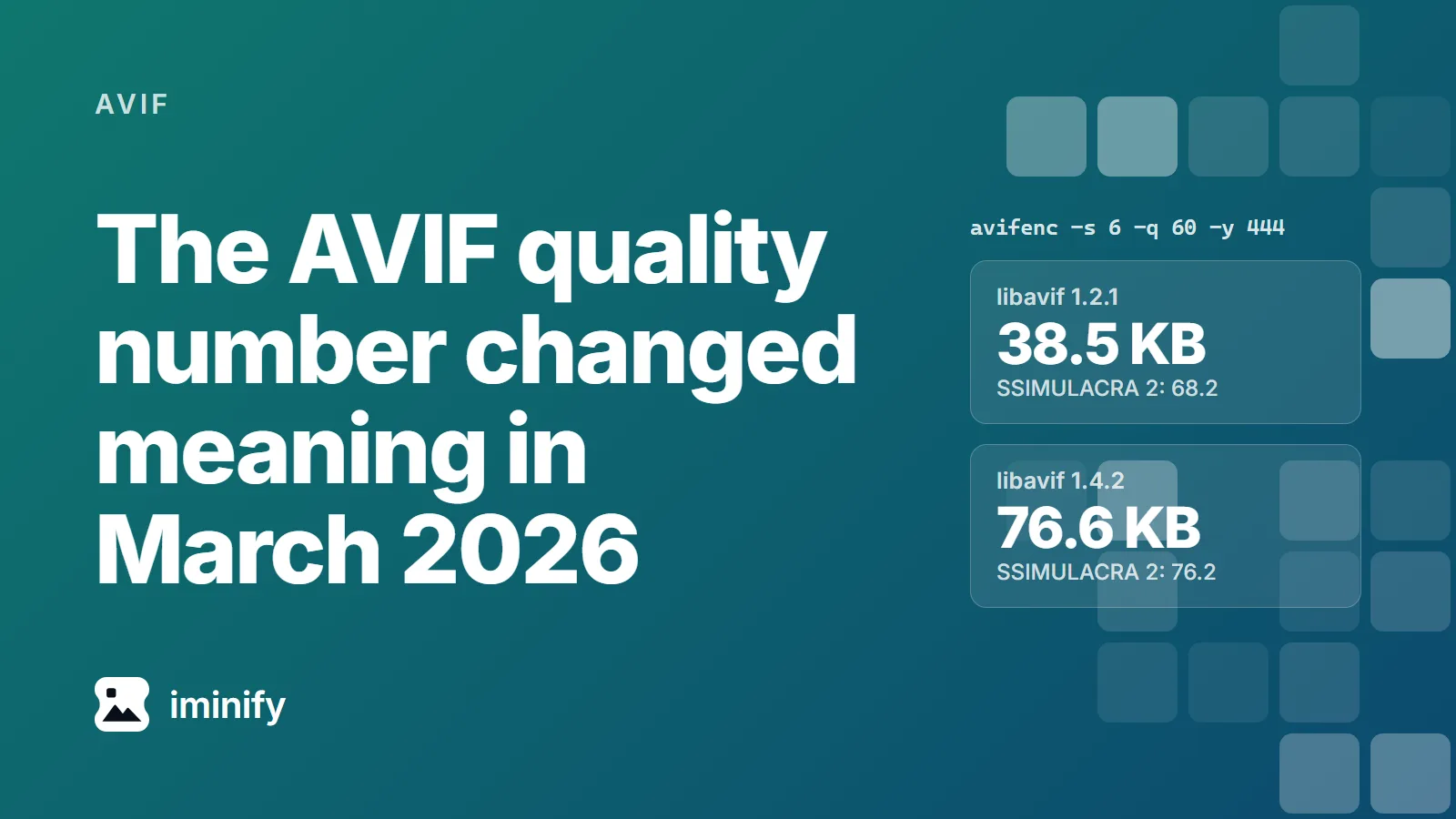
We ran one avifenc command on one photo, the raspberries from our corpus, in two containers. On Debian 13, whose libavif-bin is 1.2.1, it wrote 38.5 KB. On Alpine edge, which packages libavif 1.4.2, it wrote 76.6 KB: twice the file, the biggest increase of our ten, at a SSIMULACRA 2 score of 76.2 instead of 68.2. Neither container is broken. In March 2026 libavif changed what the number means.
The command, identical on both:
avifenc -s 6 -q 60 -y 444 photo-food.jpg photo-food.avif
-y 444 pins the chroma format. Leave it off and auto follows the JPEG's own subsampling, 4:4:4 on this source and maybe not on yours. So the answer to "what AVIF quality should I use" starts with a question back: which build are you on?
Which number to type, and how to tell which encoder you have
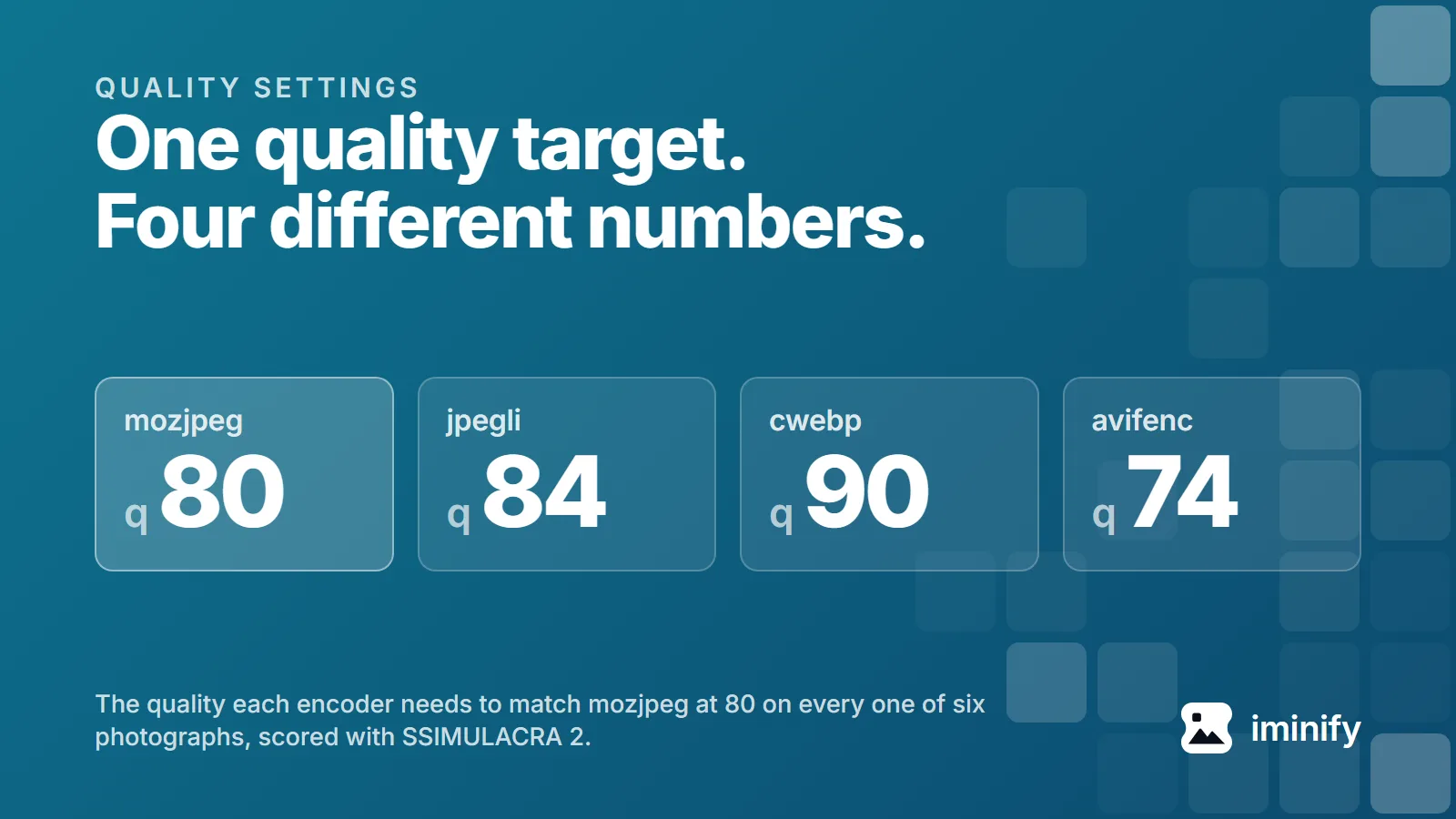
We ran the ten images of our published corpus through four builds at 4:4:4 and libaom speed 6, bisecting each image to the lowest quality that reached a given score. Speed 6 is sharp's effort: 3: libvips hands libheif 9 - effort. These cleared the target on every image in the group:
| Target score | avifenc 1.2.1, Squoosh | avifenc 1.4.2, sharp |
|---|---|---|
| 70 on all six photographs | 63 | 59 |
| 80 on all six photographs | 79 | 72 |
| 80 on screenshots and flat graphics | 60 | 60 |
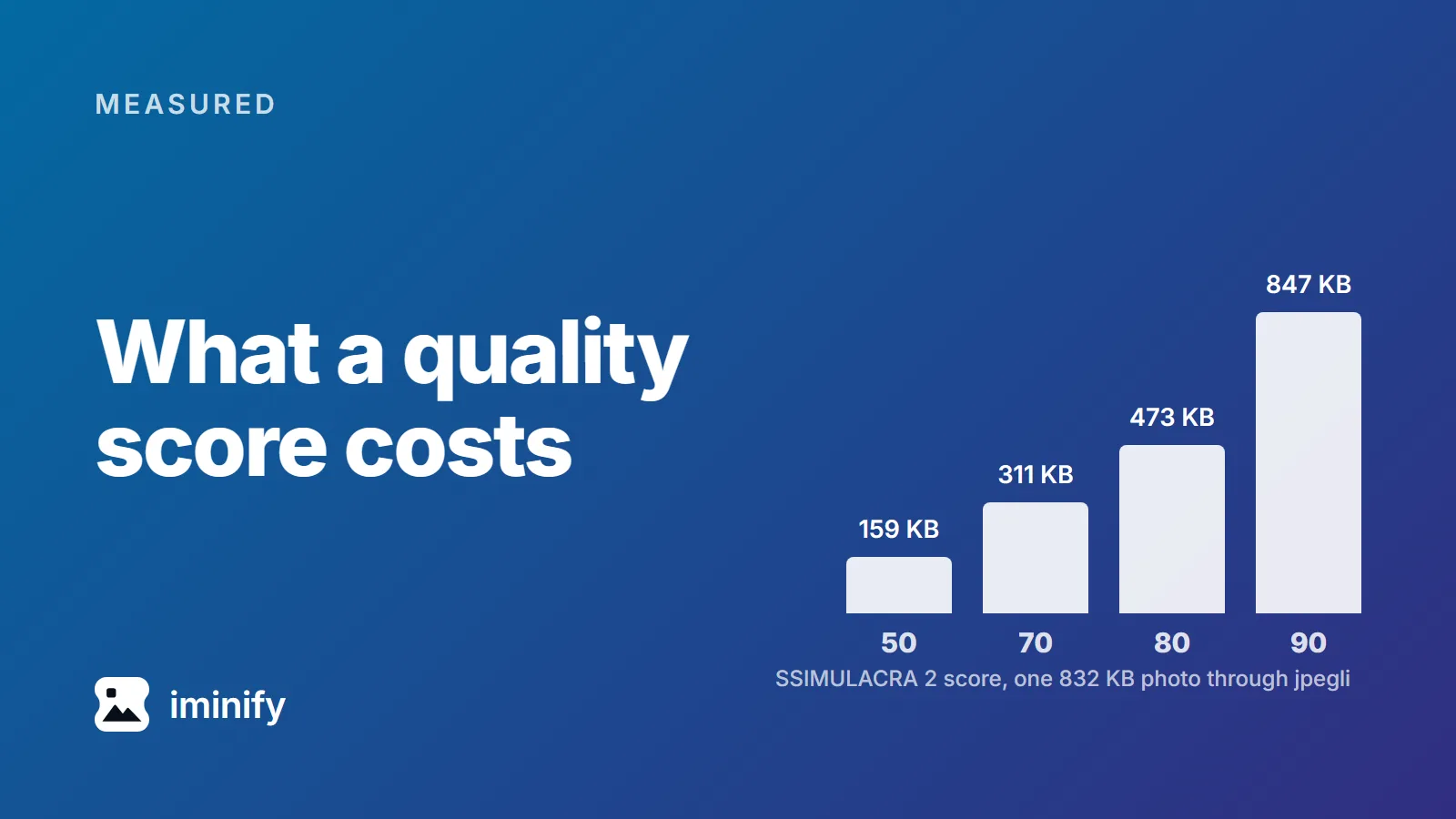
SSIMULACRA 2's scale calls 70 high quality, where "artifacts are perceptible, but not annoying", and 90 visually lossless. We wouldn't aim at 90: five of our six photographs reach it, the sixth never does on avifenc or sharp, and what 90 costs is why.
To find out which side you're on, ask the binary:
avifenc --version
libavif 1.4.0 or later and an aom of 3.13.0 or later is the new mapping; anything older is the old one. Our Debian 13 container pairs 1.2.1 with libaom 3.12.1, our Alpine edge one 1.4.2 with 3.15.0; Homebrew packages 1.4.2 today too. In Node, ask sharp rather than reading its version number: require('sharp').versions prints the libheif and libaom it was built against, and those differ by platform. The Windows build of 0.35.4 we measured reports libaom 3.14.1, the Linux x64 build of the same release 3.15.0. Both clear the bar, and sharp has been on the new branch since 0.35.0.
The search results still give the old numbers
We opened half the ranked results for "avif recommended quality", "avifenc quality" and "sharp avif quality". Where the advice cites anything, it cites one of two posts: Tim Severien's Should AVIF be the dominant image format? (10 November 2023, 118 images), which concludes that "a quality setting of 60-70% is a good place to start", and Malte Ubl's AVIF and WebP encoding quality settings (20 February 2021), which maps JPEG 80 to AVIF 64 from four images.
Careful work, both, aimed at an encoder that has since changed. Severien's paragraph is quoted in full in 11ty/image#198, still open and on hold.
The quality number is an index into a table
libaom-based AVIF encoders don't keep your quality number. They convert it to libaom's constant-quality level, 0 to 63, which is what the codec sees. Until libavif 1.4.0 the conversion was one line, in src/write.c at tag v1.2.1:
quantizer = ((100 - quality) * 63 + 50) / 100;
Since 1.4.0 there are two branches, in src/codec_aom.c:
if (isTuneIq) {
    quantizer = tuneIqQualityToQuantizer[quality];
} else {
    quantizer = ((100 - quality) * 63 + 50) / 100;
}
tuneIqQualityToQuantizer is a hand-built 101-entry lookup table, and it's now the default. The changelog for 1.4.0 (4 March 2026) has two entries for it: "a 'quality to quantizer (QP)' mapping formula designed for AOM_TUNE_IQ", and "Use AOM_TUNE_IQ by default when encoding still non-RGB color samples with libaom v3.13.0 or later". A still image, a non-GBR matrix, libaom 3.13.0 or newer: a plain avifenc photo.jpg out.avif meets all three. Of every page we opened for those three queries, only sharp's API reference mentions iq at all, and the string 1.4.0 appears on none of them.
What the two paths do with the same input:
| You type | Old level | New level |
|---|---|---|
| 50 | 32 | 37 |
| 60 | 25 | 30 |
| 80 | 13 | 15 |
The new levels are higher, which should mean more compression. libavif's comment calls the table a correction for the "non-linear bitrate increase" of tune=iq at the same quantizer, and says further down that the result is "an overall smaller (but still predictable) file size and a similar to better quality". On our corpus the size claim held for the total and not for the median image; the quality claim held at the median.
What the new default costs, and what it buys
Ten images, quality 60, speed 6, everything else held constant:
| Build | median KB | median score | total KB |
|---|---|---|---|
| avifenc 1.2.1 | 70.4 | 75.2 | 1166 |
| avifenc 1.4.2 | 90.4 | 80.1 | 963 |
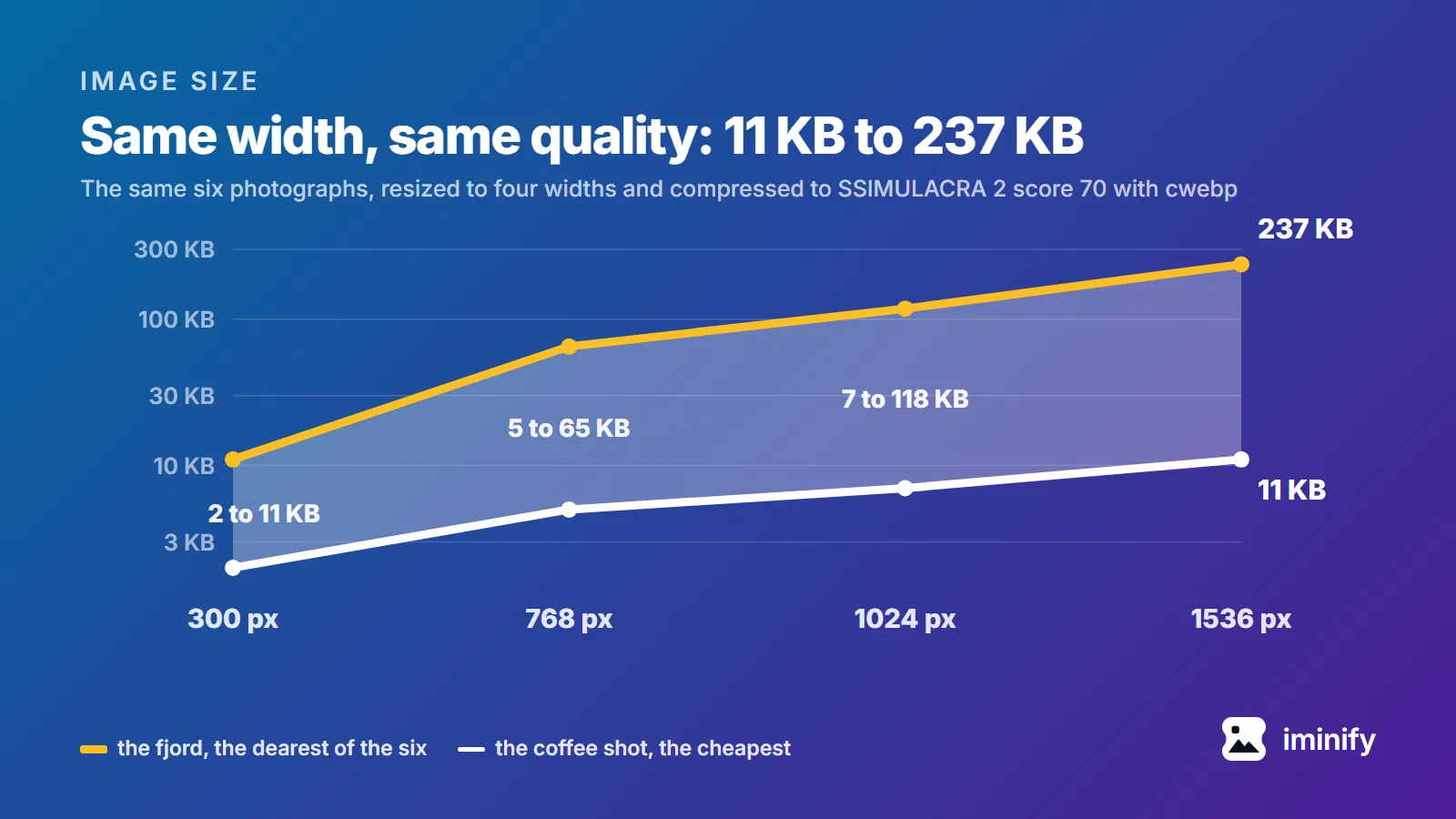
The median grew 28 percent and the total fell 17, because the four files that shrank gave back 297 KB while the six that grew added 94. One multiplier won't do, so we won't give you one. Per image the ratio runs from 0.49 to 1.99, median 1.15, and the direction depends on the picture, as post 1 also found. Four of our six photographs got bigger, median 1.29 across the six, and five of the six scored higher; the fjord and the night skyline went the other way, at 0.75 and 0.95. Both screenshots dropped hard: the desktop one went from 236.8 KB to 114.9 KB, its score from 84.6 to 83.7.
Force the old tune back with -a tune=ssim and the photographs return, within 1.1% at the median and 3.6% at the worst. The screenshots don't: at 0.695 and 0.593 of the old size with tune=ssim set, something else moved between the two libaom builds as well. We haven't chased that one.
One caveat we owe you. AOM_TUNE_IQ was tuned on SSIMULACRA 2, the metric we score with. Expecting it to do well on our scoreboard is fair; treating that as neutral evidence isn't.
Whether a 70 on the new tune looks like a 70 on the old one is not something one metric can settle. We would still keep the new default and lower the quality number to suit; the table at the top is what we would put in a script.
sharp is on the new table, Squoosh is still on the old formula
sharp doesn't touch libavif. It goes through libvips to libheif, whose aom plugin carries its own copy of the same table, with a comment crediting it. On the six photographs sharp lands within 0.3% of avifenc 1.4.2 at the median and 3.5% at the worst; on the two screenshots it's 16 to 19 percent larger.
Squoosh pins its codec instead. codecs/avif/Makefile fixes libavif at v1.0.1 and libaom at v3.7.0, both from 2023, and its wasm was rebuilt last in 2024. Its output tracked avifenc 1.2.1 to within 2% on nine of our ten, the transparent icon excepted.
Let each tool use the settings it ships. The avifenc rows repeat, because -q 60 -s 6 is its default:
| Tool, at its own defaults | median KB | median score |
|---|---|---|
avifenc 1.2.1, -q 60 -s 6 |
70.4 | 75.2 |
avifenc 1.4.2, -q 60 -s 6 |
90.4 | 80.1 |
| sharp, quality 50, effort 4 | 59.0 | 75.2 |
| Squoosh, quality 50, 4:2:0 | 35.0 | 64.6 |
Squoosh's default is aggressive twice over: quality 50 where avifenc uses 60, and 4:2:0 chroma where the other two use 4:4:4, worth another 19 percent here (43.1 KB median at 4:4:4, 35.0 at 4:2:0).
sharp's 50 was "probably selected to match libheif's default", says its maintainer. The tune option added in 0.35.0 is the way back: tune: 'ssim' brought sharp within 2.1% of avifenc 1.2.1 on five of our six photographs.
Speed costs time on a photo and bytes on a screenshot
Speed is the other knob with a number on it. We timed two of the ten images on both builds. The fjord at quality 80 on avifenc 1.4.2, median of three runs:
-s |
seconds | KB | score |
|---|---|---|---|
| 0 | 11.851 | 519.0 | 86.3 |
| 3 | 3.048 | 515.5 | 86.0 |
| 6 | 0.255 | 513.4 | 84.9 |
| 10 | 0.094 | 524.1 | 84.5 |
Speed 0 costs 46 times the default's time and writes 5.6 KB more, for 1.4 points of score. On this photograph speed is a quality knob.
The desktop screenshot on that build behaved differently, and there the default is worth a second look. At quality 80 it went from 159.4 KB at speed 6 to 294.9 KB at speed 10, its score dropping from 88.3 to 80.8, and down to 129.6 KB at speed 0. One machine, so read the ratios and not the seconds.
If you have a file and no encoder installed, our JPG to AVIF and PNG to AVIF pages run avifenc on our own servers, on the old mapping, with no quality field: the levels search for a quality clearing a PSNR floor first and a perceptual floor second, which is not the method in this post.
Print your encoder version next to every AVIF number you publish. Since March 2026 the number alone no longer tells you what file you get.