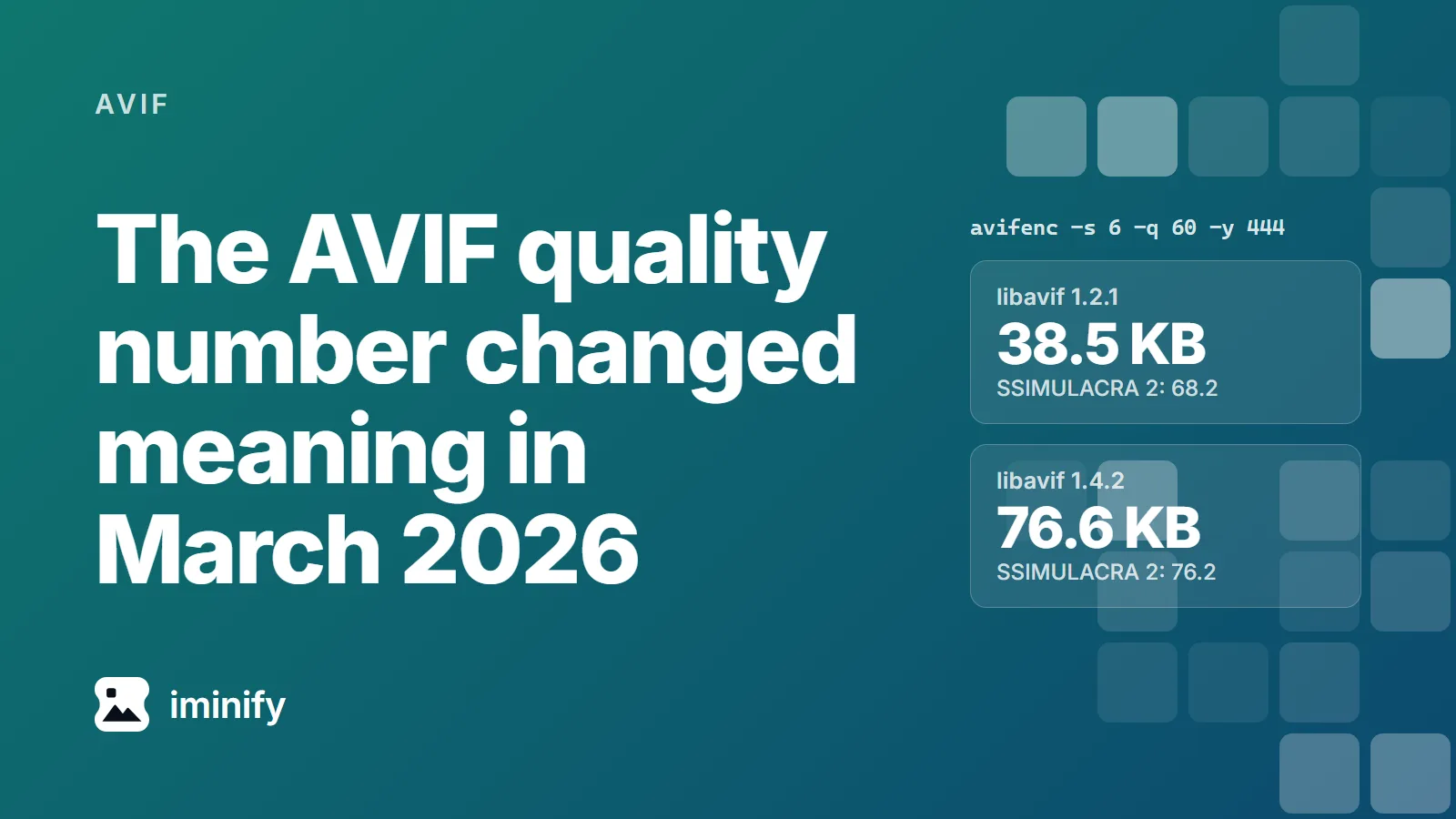
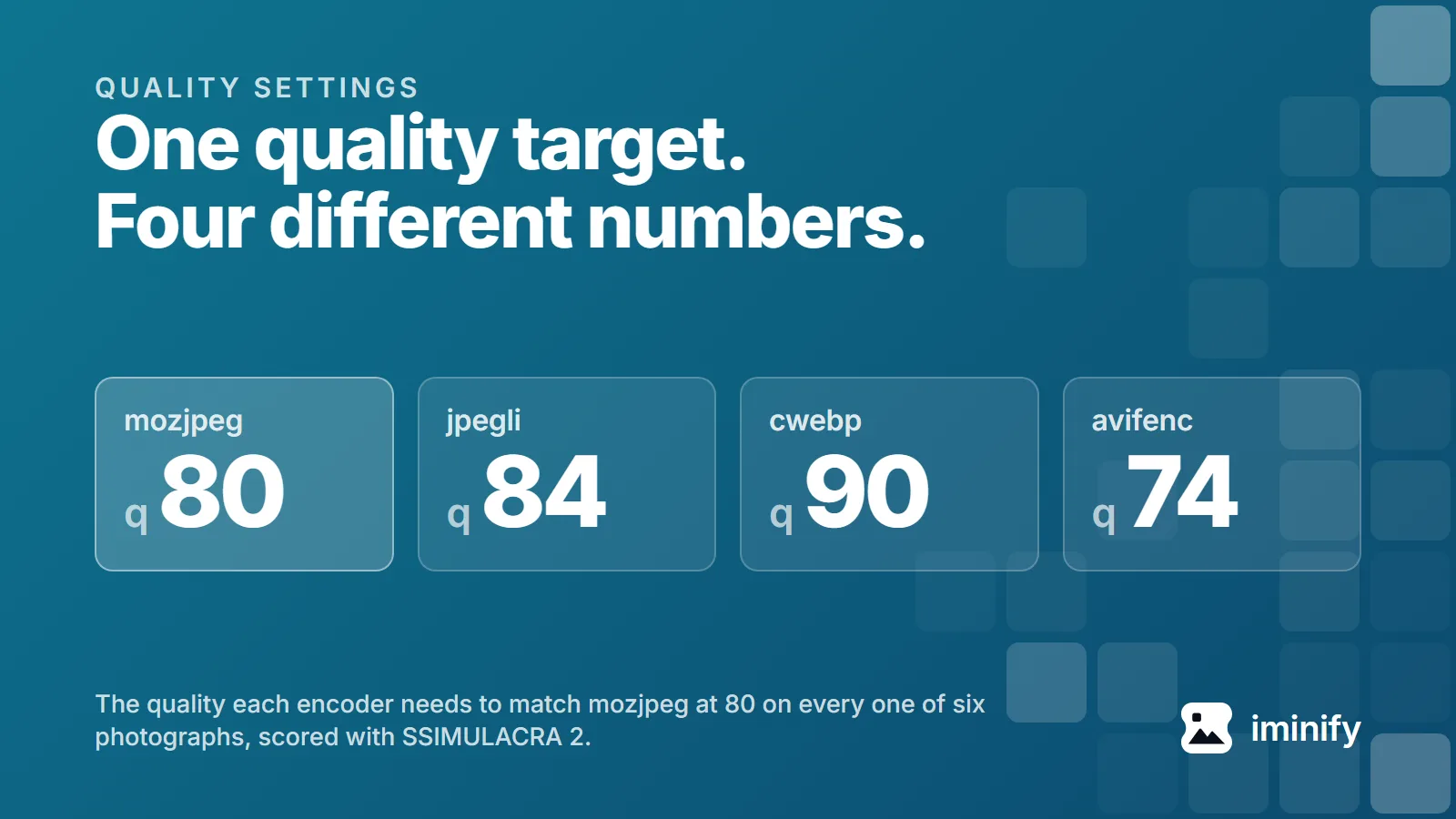
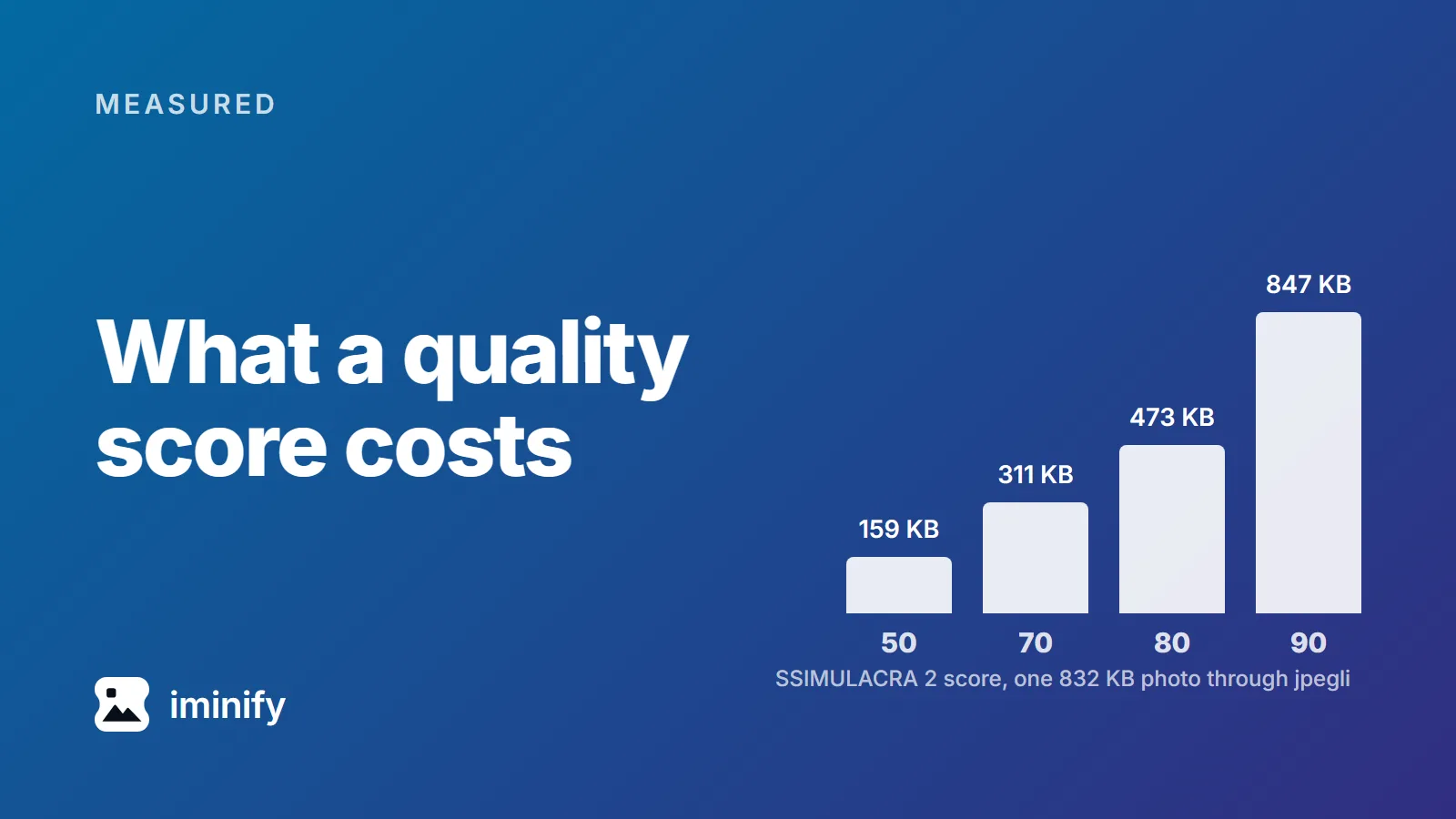
How many KB should a website image be? Measured at four widths
On this page
The pages that rank for "image size for website in kb" don't agree. We opened four and read what each recommends for one full-width hero image. ShortPixel says 200 KB or less. ForegroundWeb says every image on the site should be "less than 500 KB". HubSpot says "The file size is recommended at 10 MB" and adds that smaller is better, and Shopify's blog labels a hero the same, with 20 MB for a background.
Fifty times between tightest and loosest, for the same picture in the same slot. Three of them pair the figure with a pixel size, which is the right instinct, and one suggests a JPEG quality to save at. None says what visual quality its number actually buys.
So we measured it: ten images, four widths, three encoders, every file held to the same visual quality score. The tool that will judge the page has had a budget all along, and none of those four pages mentions that budget.
Lighthouse budgets a sixth of a byte per pixel
Lighthouse 13.5.0 pins @paulirish/trace_engine at version 0.0.65. Inside that package, models/trace/insights/ImageDelivery.js carries the constant that decides whether a file is too heavy for its pixel count:
const TARGET_BYTES_PER_PIXEL_AVIF = 2 * 1 / 12;
That's 0.1667 bytes per pixel: the comment starts from an uncompressed 4:2:2 bitmap at 2 bytes per pixel and assumes AVIF gets 12:1 on it, a ratio its own authors call "quite pessimistic". The same figure drove modern-image-formats, one of four audits this insight replaced.
Multiply your image's own width by its height, divide by six, and that's the budget. It's the pixels in the file that count, not the size the page draws it at, and KB here means 1,024 bytes:
| Width of the file | Pixels | Budget |
|---|---|---|
| 300 x 200 | 60,000 | 10 KB |
| 768 x 512 | 393,216 | 64 KB |
| 1024 x 683 | 699,392 | 114 KB |
| 1536 x 1024 | 1,572,864 | 256 KB |
Those four widths come from WordPress 7.1.1: medium at 300, medium_large at 768 and large at 1024 come straight from wp-admin/includes/schema.php, and _wp_add_additional_image_sizes() in wp-includes/media.php adds 1536 and 2048 as the 2x versions. All but 768 are boxes, so a tall upload gets copies that tall, not that wide; we use them as widths. It never upscales, so a small upload gets fewer of them. An upload over 2,560 pixels on either edge is scaled down first, and that copy becomes the "full" size.
The constant isn't a ceiling, though. Outside GIFs, which get a flat 100 KB limit of their own, the insight names no kilobyte ceiling at all. It estimates what you'd save by reaching the target, and stays quiet unless that saving clears 4,096 bytes. Up to 4 KB over costs nothing in the report.
What ten real images cost at four widths
We took the ten-image corpus from our first post, resized each master to every width that would not upscale it, and searched for the lowest encoder quality whose SSIMULACRA 2 score against that resized reference still reached 70. The scale calls 70 "artifacts are perceptible, but not annoying", and it's the floor our Smart level aims at. 1,936 encodes went into the search.
Six of the ten are photographs, all 1800x1200 masters. Here's what they cost, low to high:
| Width of the file | jpegli | cwebp | avifenc |
|---|---|---|---|
| 300 x 200 | 3 to 11 KB | 2 to 11 KB | 1 to 9 KB |
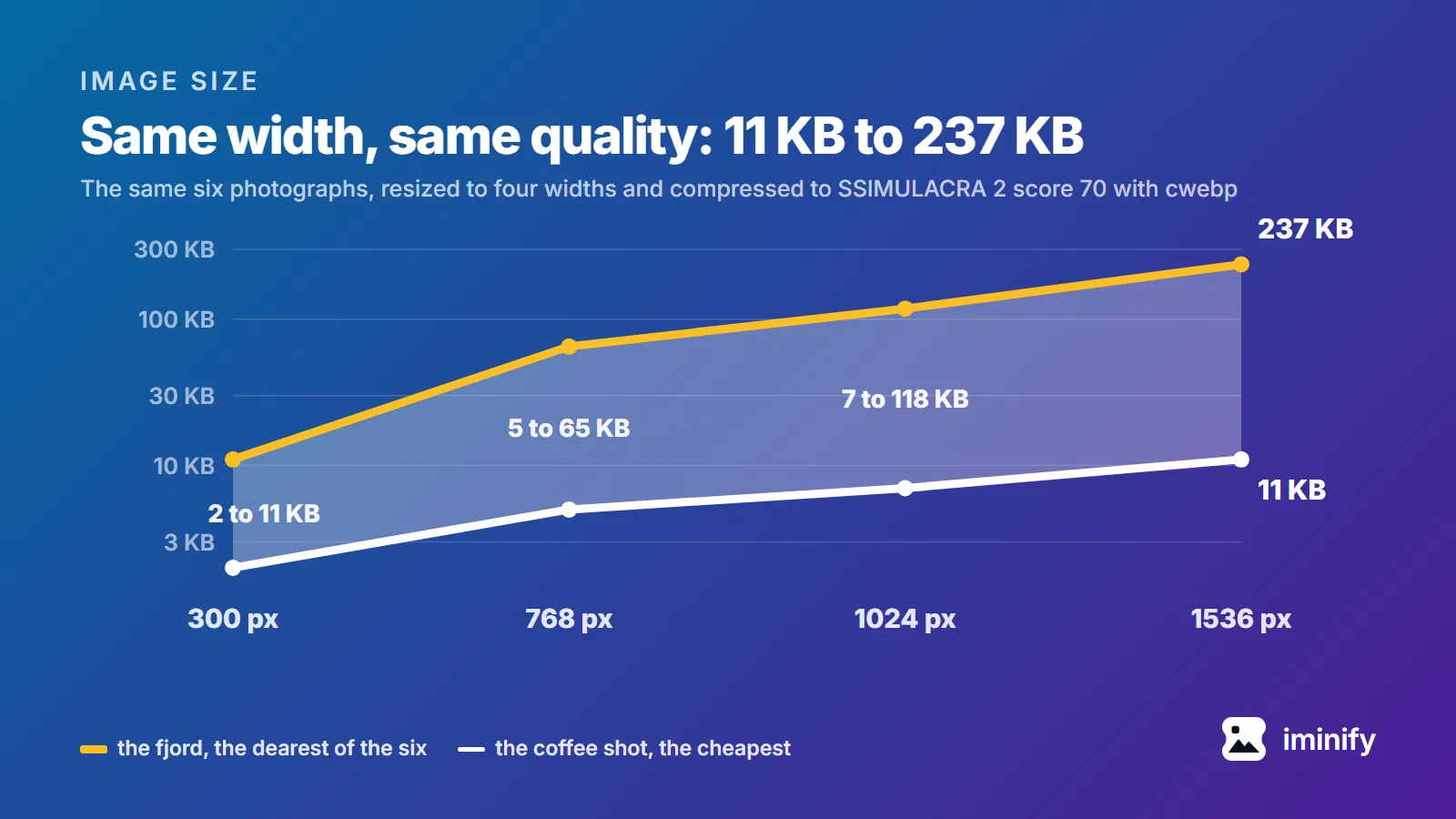
| 768 x 512 | 8 to 63 KB | 5 to 65 KB | 2 to 56 KB |
| 1024 x 683 | 12 to 112 KB | 7 to 118 KB | 3 to 103 KB |
| 1536 x 1024 | 19 to 229 KB | 11 to 237 KB | 4 to 216 KB |
jpegli writes JPEGs, cwebp WebPs, avifenc AVIFs. Three masters are narrower than 1536 and nothing was upscaled, so there are 37 image-and-width cells, not 40. avifenc was smallest in all 37, and cwebp beat jpegli in 27 of the 33 where both ran. That's this corpus at this score on one machine, not a verdict on the formats.
Hero or thumbnail, the slot tells you almost nothing
At 1536 x 1024, both at score 70, both through cwebp: the fjord photograph is 237 KB and the coffee shot is 11 KB. More than twenty times apart, same width, same quality, same encoder. The coffee shot is the cheapest picture in the set at every width, and its master is 59 KB against the fjord's 832 KB. Those two arrive in different formats, so read that gap as a hint, not a measurement. Set it aside and the next cheapest, the raspberries, is 38 KB. Still a sixth of the fjord.
At 1536 pixels wide, no encoder we tried got the fjord under ShortPixel's 200 KB at all: 229, 237 and 216 KB. Through those same three the coffee shot took 19, 11 and 4 KB. Both of them are "a full-width image".
The same data holds a second surprise. Per pixel, the thumbnail is the expensive one: in 28 of 29 image-and-encoder pairs, the 300-pixel version cost more bytes per pixel than the widest version of that same picture. Shrinking a picture concentrates its detail, leaving the encoder less redundancy to work with. One exception. The desktop screenshot through jpegli went the other way, 0.12 bytes per pixel at 300 wide against 0.14 at 1024, which is as far as that 1440-pixel master goes on our ladder.
Screenshots and flat graphics don't behave like photographs
Same score, same widths, a different bill. At 1024 pixels the phone screenshot needed 143 KB as a JPEG, 85 KB as a WebP and 57 KB as an AVIF; the desktop screenshot 87, 51 and 43 KB. The JPEG column is where the kind of picture shows up. On five of our six photographs at 1024, jpegli and cwebp landed within a fifth of each other, jpegli the smaller on three. On the two screenshots and the social card the JPEG was the outlier, 68, 71 and 83 percent bigger than the WebP.
Flat graphics keep that ordering and shed the bulk. Our social card at 1024 x 538 is 22 KB as a JPEG, 12 KB as a WebP and 7 KB as an AVIF, roughly a quarter of the desktop screenshot's JPEG and WebP. The app icon at 1024 x 1024 is 19 KB as a WebP and 4 KB as an AVIF, and jpegli is not an option at all, because the icon has an alpha channel and JPEG has nowhere to put it.
So what should you aim for?
Take the budget with you, not a kilobyte figure. Of the 107 files we measured, 103 came in under a sixth of a byte per pixel. The four that didn't were all the same photograph, and every one of them was too small a saving for Lighthouse to bother reporting. We applied the published formula to our own byte counts here; we didn't run Lighthouse on these files.
Compress to a quality floor instead of a byte target, serve the width you render at, and on ordinary web images the budget looks after itself. Two moves carry most of it: stop dropping a 3000-pixel master into a 768-pixel slot, and let the encoder pick a quality per picture instead of one number for the site. The pages in the opening cover the first between them, but none ties either to a measured quality. If you can serve AVIF with a fallback, take it.
If you want that done for you, our compressor runs a quality search per image and will resize on the way through, and a page scan collects every image a live URL loads and hands them back compressed. One caveat on our own tool: its search isn't the one above. It keeps the smallest file clearing a PSNR target, then, under 8 megapixels, checks the perceptual score and moves back up if that falls under 70. It usually returns a larger file than these tables. Neither tool has a target-file-size mode, which is what this post argues against anyway.
Run it yourself
The encodes ran in a container holding the binaries our pipeline runs: cwebp 1.5.0, avifenc 1.2.1 on aom 3.12.1, optipng 0.7.8, jpegli at main 031a0077f579, ssimulacra2 from libjxl v0.12.0 at a7a9c787341c. Resizing used Pillow 12.3.0 and LANCZOS, on the host.
Each master was resized to PNG, then stripped the way our pipeline strips colour metadata before encoding. Starting from the fjord, which post 1's corpus section downloads as photo-landscape.jpg:
python -c "from PIL import Image; im=Image.open('photo-landscape.jpg').convert('RGB');   im.resize((1024, round(im.height*1024/im.width)), Image.LANCZOS).save('ref.png')"
optipng -o0 -strip all ref.png
Swap RGB for RGBA on anything transparent, or the alpha goes and the icon row won't reproduce. That stripped PNG is both encoder input and scoring reference, so the score measures what the encoder lost, not what the resize lost. Then one encode per format:
cjpegli ref.png out.jpg -q 75 --chroma_subsampling=420   # 444 for screenshots and graphics
cwebp -quiet -m 6 -pass 10 -mt -metadata none -q 75 ref.png -o out.webp   # add -sharp_yuv for screenshots and graphics
avifenc -s 4 -q 75 --ignore-exif --ignore-xmp ref.png out.avif
No --ignore-icc needed on that last line: the strip removed every chunk avifenc would read. Scoring takes one more step, because ssimulacra2 reads neither WebP nor AVIF:
dwebp -quiet out.webp -o cand.png && ssimulacra2 ref.png cand.png
avifdec out.avif avif.png && ssimulacra2 ref.png avif.png
Move the quality number until you find the lowest that clears your target.
The corpus stops at 1800 pixels wide, so the 2048 rung went unmeasured. Ten images is small, and the closest of the four that went over Lighthouse's line, the fjord's 1024-pixel WebP at 120,560 bytes, fell 101 bytes short of its reporting floor: another photograph would land on the other side.