Does compression remove the AI tag Merchant Center asks for? 10 tools, WordPress and Iminify tested
On this page
Google's Merchant Center help says: "Don't remove embedded metadata tags such as trainedAlgorithmicMedia from such images. All AI-generated images must contain the IPTC DigitalSourceType trainedAlgorithmicMedia tag." (Merchant Center's help page is dated February 2024; we read it on 26 October 2026.) So we put that tag on two AI images, a harbour scene from Nano Banana 2 (a JPEG) and a bakery illustration from the original Nano Banana (a PNG), ran them through 42 command-line runs and Iminify, added three larger JPEGs for a WordPress 7.1.3 site, and read the tag back with ExifTool each time.
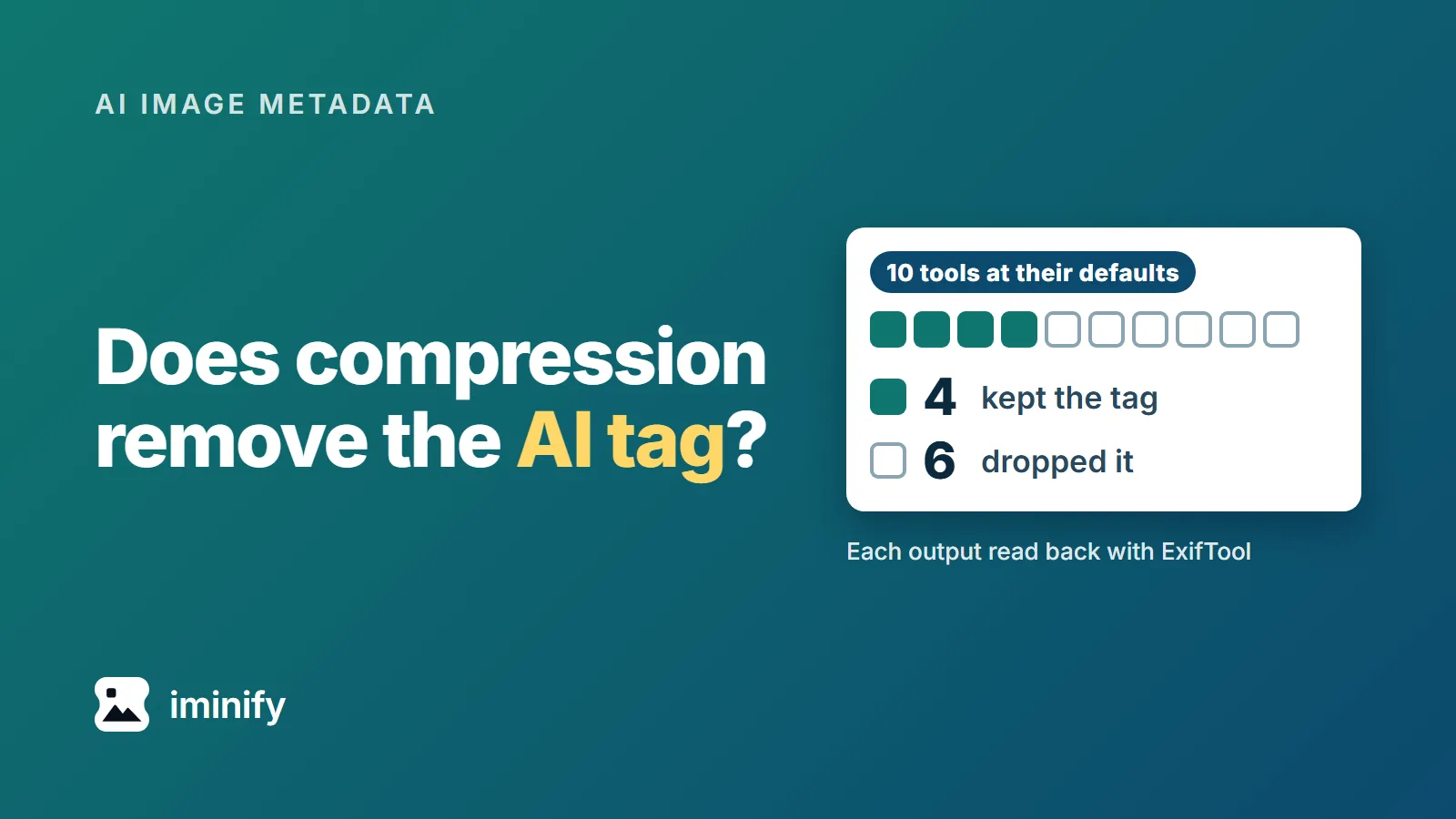
Each tool's default decides whether the tag survives, and neither lossy nor lossless predicts it. Of the ten tools in our table, four keep the tag at their defaults and six drop it, and for nine of them we found an option that flips that. Iminify, which is our product, lost it at every level that compresses: it survived in 6 of 51 uploads, and those six came back byte for byte unchanged. One ExifTool command puts the tag back for 514 to 568 bytes and, on the nine files we checked, leaves every pixel alone.
Google asks for the tag, and the Gemini files we generated didn't have it
The tag is an XMP property. The IPTC Photo Metadata Standard defines Digital Source Type as Iptc4xmpExt:DigitalSourceType, and its value is a URI. For a picture a model made it is http://cv.iptc.org/newscodes/digitalsourcetype/trainedAlgorithmicMedia, which IPTC names "Created using Generative AI". Google's image metadata page, last updated 10 December 2025, lists that value and three more it supports. Merchant Center's pages say what to keep, not what happens to a listing without the tag, and we didn't test that.
Our files come from the Nano Banana sample set we generated through the Gemini API on 23 September 2026 (post 15 measures 52 of its 67 files). None of the 67 has an XMP packet. Each carries a C2PA manifest, a different object that post 19 covers, and the manifest's actions name the same URI.
Google's image generation page, updated 9 October, lists Nano Banana 2.1 as the current model and calls Nano Banana 2 the previous generation. Two 1K files from 2.1, generated on 26 October, carry no XMP either.
So we added the tag with ExifTool 13.25 to the files we tested. That changes the file, and post 19 found that every file that differed from its source by even a byte failed verification, so we don't count on their manifests verifying. This post doesn't test their manifests or other generators.
Four of the ten tools keep the tag by default
We ran the harbour JPEG or the bakery PNG, whichever the tool reads, through each tool below, with its defaults and with the option that changes the result, and read every output back with exiftool -s3 -a -XMP-iptcExt:DigitalSourceType. jpegtran has two rows because libjpeg-turbo and mozjpeg each ship their own build.
| Tool | Drops the tag | Keeps the tag |
|---|---|---|
| ImageMagick 7.1.1-43 | with -strip |
by default |
| avifenc 1.2.1 | with --ignore-xmp |
by default |
| pngquant 2.18.0 | with --strip |
by default |
| optipng 0.7.8 | with -strip all |
by default |
| jpegtran, libjpeg-turbo 2.1.5 | by default, and with -copy none |
with -copy all |
| jpegtran, mozjpeg 4.1.5 | by default, and with -copy none |
with -copy all |
| cwebp 1.5.0 | by default, and with -metadata none |
with -metadata xmp or all |
| zopflipng 1.0.3 | by default | with --keepchunks=iTXt |
| Pillow 11.1.0 | by default | with xmp=im.info["xmp"] in save(), for JPEG and WebP |
| cjpegli, jpegli commit 031a0077 | in all three runs | no option tried |
Lossy or lossless doesn't decide it. jpegtran's lossless repack dropped the tag, and ImageMagick's lossy WebP kept it. zopflipng's option names iTXt, the chunk where a PNG keeps XMP. A JPEG keeps it in an APP1 segment and a WebP in an XMP chunk.
Add the option in the right-hand column and run the ExifTool command below last. A later optimizer, a CDN or a plugin can still drop the tag.
Iminify drops it at every level that compresses
On this test Iminify loses. We uploaded six tagged files through its API on 26 October 2026: the harbour JPEG, the bakery PNG, the WebP that cwebp made from the harbour JPEG, and three of Iminify's own outputs tagged again. That made 51 uploads at its four levels (None, Lossless, Smart and Ultra), with Keep EXIF on and off, and the output set to the upload's own format, WebP, AVIF, JPG or Auto.
The tag survived in 6 of the 51. All six were level None with Keep EXIF on and no resize or format change, and each came back already-optimized, byte for byte: the harbour JPEG three times, the bakery PNG twice and the WebP once. Nothing was compressed. The other 45 lost it: at Lossless and Ultra in the upload's own format, at Smart in every output we tried, each with Keep EXIF on or off, and at level None as soon as the upload was resized, converted or run with Keep EXIF off. At Smart the harbour JPEG went from 1,040,441 to 296,954 bytes, and the result had no tag.
Keep EXIF keeps EXIF only, and a Smart upload with it on returned the same bytes as one with it off. Post 19 saw level None return a JPEG unchanged in September, as a guest on the website. Through the API on 26 October that happened only with Keep EXIF on. With it off, the upload came back completed without the tag.
Auto picked AVIF for the bakery PNG, at 13,637 bytes. Merchant Center's image_link page lists JPEG, WebP, PNG, GIF, BMP and TIFF and no AVIF (read 26 October), so choose the format yourself when the file is for a feed, for example WebP at Smart.
Put the tag back with one command
ExifTool comes as a Windows executable and as a Perl script, and it can write the property into JPEG, PNG, WebP and AVIF files. Run it after your last optimizer, in a folder of finished AI-made images (for Iminify results, the unzipped download). It edits the files in place:
exiftool -api Compact=NoPadding -XMP-iptcExt:DigitalSourceType=http://cv.iptc.org/newscodes/digitalsourcetype/trainedAlgorithmicMedia -overwrite_original *.webp
Swap *.webp for *.jpg, *.png or *.avif. To read the tag back from one file:
$ exiftool -XMP-iptcExt:DigitalSourceType bakery.webp
Digital Source Type             : http://cv.iptc.org/newscodes/digitalsourcetype/trainedAlgorithmicMedia
We ran it on nine Iminify outputs that had no tag. From the harbour JPEG: the Smart JPG, WebP and AVIF and the Lossless JPG. From the bakery PNG: the Smart PNG, WebP, AVIF and JPG and the Lossless PNG. The tag read back on all nine, and ImageMagick decoded the same pixels before and after. ExifTool 13.25 and 13.59, the current release on exiftool.org, gave the same byte counts. We ran the Perl release, not the Windows executable.
Without -api Compact=NoPadding, ExifTool pads the XMP block: the tag cost 2,938 bytes in a WebP, 2,944 in a JPEG and 2,992 in an AVIF. With it, 514, 520 and 568 bytes, under 0.2 percent of the harbour JPEG's 296,954-byte Smart JPG. A PNG costs 521 either way. The bakery PNG's 13,637-byte Smart AVIF became 14,205 bytes with -api Compact=NoPadding and 16,629 without.
Use the value that matches how the image was made. Merchant Center's AI-generated content page lists trainedAlgorithmicMedia for a model-made image, compositeSynthetic for a composite with synthetic elements and algorithmicMedia for one made purely by an algorithm. Don't put any of them on a photograph no AI made.
A C2PA manifest can't be put back this way. It has to be signed again, which post 19 walks through.
WordPress keeps the upload, and its copies depend on the image library
We uploaded five tagged files to WordPress 7.1.3 through its REST API, so the server made the sizes: the harbour JPEG and the bakery PNG, a 2,048 px and a 5,504 px Nano Banana 2 JPEG, and a 3,000 px JPEG we made by enlarging the 2,048 px one. They went through ImageMagick, which WordPress chose in our PHP 8.3 container, and then through GD, which we forced.
WordPress stored all ten uploads byte for byte, tag included. The copies differ:
| Copies WordPress made | Tag kept |
|---|---|
| ImageMagick, JPEG | 22 of 22 |
| ImageMagick, PNG | 0 of 3 |
| GD, JPEG and PNG | 0 of 25 |
ImageMagick kept the tag in every JPEG copy, the -scaled file WordPress makes above 2,560 px included, and lost it in every PNG copy. GD lost it in every copy. For the two uploads over 2,560 px, the address WordPress returned in the REST response was the -scaled file, so in our GD run the address for a large image had no tag while the stored original did. Which library a site uses is listed in Site Health, under Info and Media Handling, as "Active editor". We didn't test the browser-side resizing that WordPress 7.1 can use in the block editor. Post 10 tested that path with a JPEG carrying GPS coordinates: the browser's copies kept none of them, and the server's copies kept them.
Check the file your feed sends
Whatever you do upstream, the file at your image_link address is the one that has to carry the tag. Download it from the live address and run exiftool -XMP-iptcExt:DigitalSourceType on it.
Three services say something about metadata, and we tested none of them. Shopify's developer forum has a May 2026 thread in which a merchant's AI image kept the tag in the download and lost it on Shopify's CDN. A staff member wrote on 4 September 2026, "it should be fixed now." Fastly's Image Optimizer "will remove all metadata embedded in an image" by default. Its copyright option names five rights fields, not the digital source type, and works only from JPEG to JPEG. ShortPixel removes EXIF, comments, IPTC and XMP by default and keeps all four with Remove EXIF turned off.