Why do images save as WebP? What 12 sites sent Chrome, and how to get the JPG
On this page
The hero photo on the Allbirds home page has a file name that ends in .jpg. On 23 September 2026 the site sent Chrome a WebP of 572 KB. Ask the same image address for a JPEG and it sends one, 663 KB.
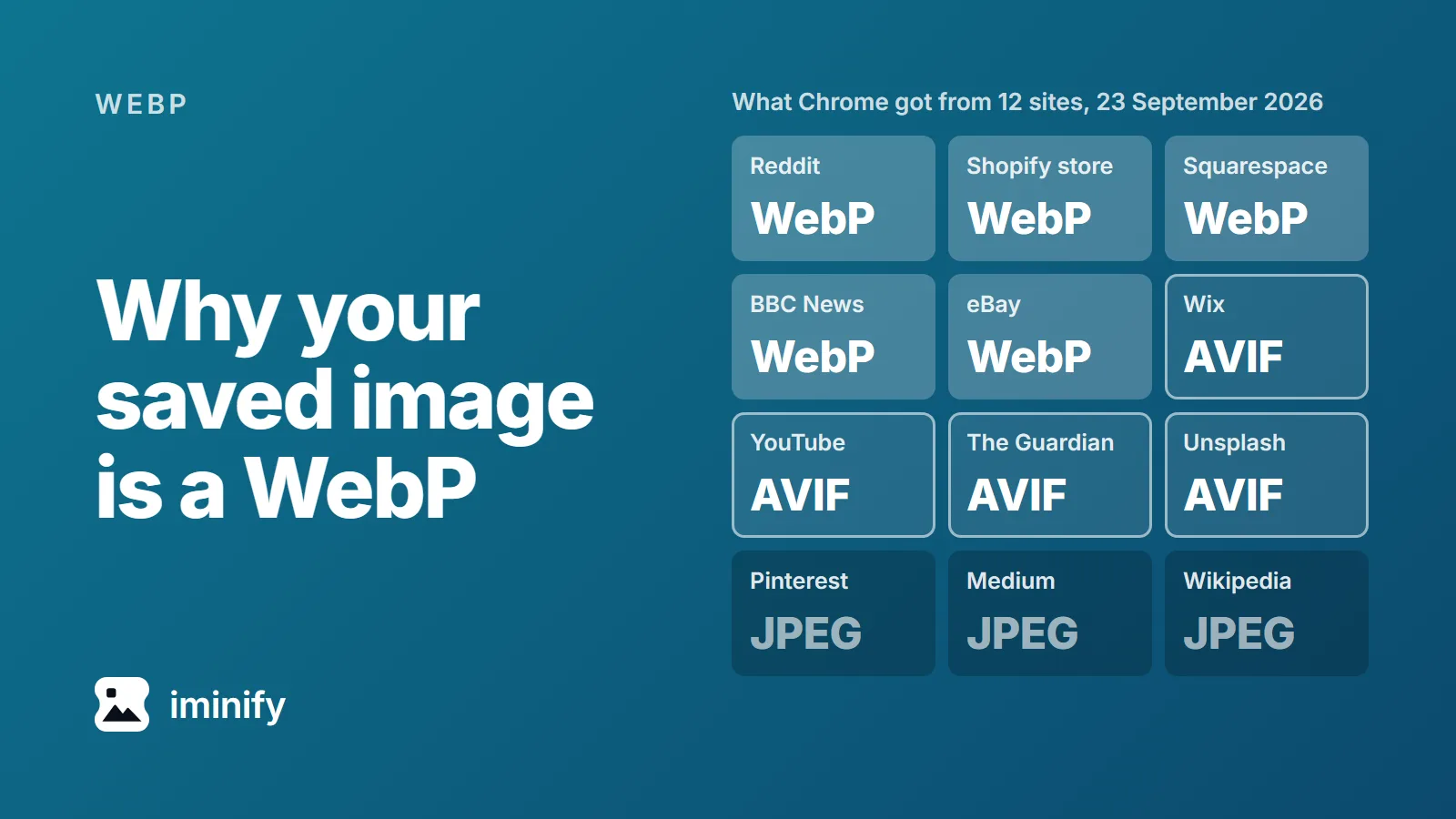
That's why your saved image is a WebP. Many sites pick the format each time they send a picture, from a list of formats your browser says it can show. Twelve sites made it into our test: nine sent Chrome a WebP or an AVIF, and every one of those nine would also hand over a JPEG (JPG is the same format) if asked the right way. The four ways that worked are below the table.
The site chooses, from a line your browser sends
Every time Chrome requests an image, it adds a line called Accept listing the formats it can display. Chrome 153 sent this one:
image/avif,image/webp,image/apng,image/svg+xml,image/*,*/*;q=0.8
AVIF and WebP are two newer image formats that sites use in place of JPEG. A site that keeps the same picture in several formats reads that line and chooses what to send. MDN calls this server-driven content negotiation: the server treats the headers "as hints and an internal algorithm chooses the best content to serve to the client."
Six of our twelve sites chose the format from that line. Asking for image/jpeg alone, with the command-line tool curl, got a JPEG from all six. Three more sites put the format in the address itself, and Chrome, Edge and Firefox all got the same WebP or AVIF from them: the BBC's image names end in .jpg.webp, eBay's in .webp, and YouTube's thumbnail is named hq720.jpg but came back as AVIF until we deleted the parameters after that name.
Edge 153 sent the same line and received the same file from all twelve sites. Firefox 152 sends its own list, which also names AVIF and WebP, and for images on a test page it got the same formats as Chrome from all twelve.
What 12 sites sent Chrome on 23 September 2026
One image per site; the end of the post says how we picked them. KB here means 1,000 bytes.
| Site | Chrome and Edge got | What got us a JPEG |
|---|---|---|
| WebP, 330 KB | Firefox setting, curl | |
| Shopify store (allbirds.com) | WebP, 572 KB | Firefox new tab, Firefox setting, curl |
| Squarespace (squarespace.com) | WebP, 103 KB | Firefox new tab, Firefox setting, curl |
| BBC News | WebP, 31 KB | edited address |
| eBay | WebP, 16 KB | edited address |
| Wix (wix.com) | AVIF, 3 KB | Firefox new tab, Firefox setting, curl |
| YouTube | AVIF, 95 KB | edited address |
| The Guardian | AVIF, 55 KB | Firefox new tab, Firefox setting, curl |
| Unsplash | AVIF, 68 KB | Firefox new tab, Firefox setting, curl |
| JPEG, 11 KB | already a JPEG | |
| Medium | JPEG, 24 KB | already a JPEG |
| Wikipedia | JPEG, 76 KB | already a JPEG |
The newer format wasn't always the smaller file. Reddit's JPEG was 296 KB against its 330 KB WebP, Squarespace's 101 KB against 103, and Unsplash's 64 KB against a 68 KB AVIF.
Four ways to get the JPEG instead
The first two need Firefox. The other two work whatever browser you use.
1. In Firefox, open the image in a new tab
Right-click the image, choose Open Image in New Tab, and save it from there. Firefox then asks for the image as a page, with a line that names no image formats, and five of the six sites that choose by the Accept line answered with a JPEG. Reddit sent a web page instead of the picture. Chrome and Edge ask for AVIF and WebP again in a new tab, and every site sent the same format as before, apart from Reddit's web page.
2. In Firefox, change one setting
With image.http.accept changed as below, all six sites that choose by the Accept line sent Firefox a JPEG, Reddit included, even with their WebP and AVIF copies already in Firefox's cache. To change it:
- Type
about:configin the address bar, and click Accept the Risk and Continue if Firefox shows a warning page. - Search for
image.http.accept. - Click its Edit button, type
image/jpeg,image/png,*/*;q=0.5, click Save, and reload the page. - Right-click the image and choose Save Image As.
Firefox's source describes this setting as overriding the Accept line it sends for images. Firefox's Save Image As takes the image from its cache, so you save the JPEG the page just loaded. We tried */* first; Squarespace still sent WebP to that. When you're done, click the setting's Reset button, because it applies to every page you visit, and on three of those six sites the JPEG was the bigger file: Allbirds' hero went from 572 KB to 663 KB.
3. Edit the address when it names the format
Right-click the image, copy its address (Copy Image Address in Chrome, Copy Image Link in Firefox and Edge), paste it into a new tab, change it, and press Enter:
- BBC News: delete the final
.webp. We got a 52 KB JPEG. - eBay: change
.webpto.jpg. A 20 KB JPEG. - YouTube: delete everything from the
?onwards. A 283 KB JPEG at 1280 by 720, where the page's AVIF was 720 by 404.
This doesn't always work. Editing the Reddit and Guardian addresses got us an error instead of a picture.
4. Ask with curl
Windows 10 and 11 come with curl. Copy the image address, open Terminal or Command Prompt, and run:
curl.exe -H "Accept: image/jpeg" -o picture.jpg "PASTE-THE-ADDRESS-HERE"
Type curl.exe, not curl: in Windows PowerShell, curl is a different command, and curl.exe works there and in Command Prompt. curl saves picture.jpg in the folder the window is open in. On our machine this saved Allbirds' 663 KB JPEG, and it got a JPEG from the same six sites as the Firefox setting. The three sites that choose by address still send a WebP or AVIF, which curl saves under the .jpg name, so edit the address first.
Already saved the WebP? Converting works, at a price
A converted file opens anywhere, but converting can't give you the site's JPEG back. Converting makes a copy of the WebP, which had already lost some detail, and loses a little more on the way.
We measured that on the same Allbirds photo at its full 2840 by 1600 pixels, larger than the 2560-pixel copy the page loaded in our test. At full size the store answers a request for a JPEG with an 800 KB JPEG, and Chrome's request with a 706 KB WebP. We took the store's JPEG as the reference and scored everything against it on the SSIMULACRA 2 scale, where higher is closer and 70 means artefacts you can see but that don't annoy, and 90 means visually lossless:
| File | Size | Score against the store's JPEG |
|---|---|---|
| The store's own JPEG | 800 KB | the reference |
| The WebP the store sends Chrome | 706 KB | 74.2 |
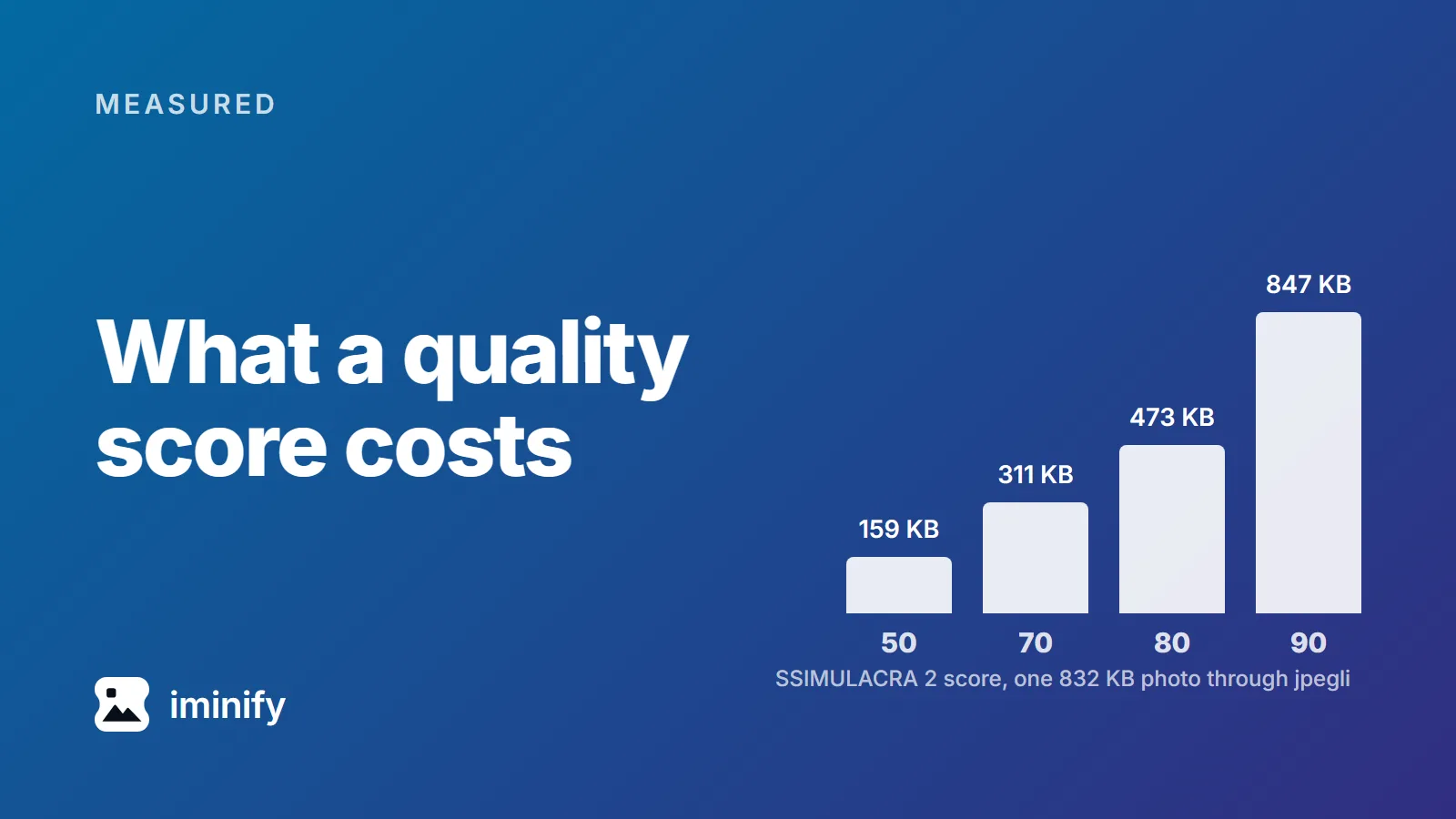
| That WebP converted to JPG at quality 90 | 832 KB | 72.3 |
| That WebP converted to JPG at quality 75 | 490 KB | 66.9 |
The quality-90 copy is bigger than the store's own JPEG and further from it than the WebP was. Across the five WebPs in the first table, a quality-90 JPG came out bigger than the WebP it was made from. So if you can go back to the page, get the JPEG.
When you can't, our WebP to JPG converter does it with JPG already selected. It never goes above quality 75 for a WebP source, the setting of the last row. The last row's JPG, from our own cjpegli run, came out 41% smaller than the quality-90 one, and 5.4 points lower.
An AVIF is harder: Iminify can't read AVIF files, so go back to the page. Of the four sites that sent Chrome an AVIF, three sent a JPEG when asked through either Firefox way or curl, and YouTube sent one for an edited address.
Renaming picture.webp to picture.jpg changes nothing inside. The first bytes of our renamed file still read RIFF and WEBP, and the Pillow image library still opened it as a WebP.
How we tested
We picked one image per site from its pages, except two: for Wix, the logo its home page lists in its markup, and for Wikipedia, the Fjord article's photo as the Wikipedia API lists it, at 500 pixels. We requested each one in headless Chrome 153.0.8010.50, Edge 153.0.4234.48 and Firefox 152.0 on Windows 11, through puppeteer-core 25.11.0, both on a test page and in a new tab. In Chrome and Edge, "HeadlessChrome" in the user agent was changed to "Chrome". Firefox 156.0.1 and Chrome 154, the current releases that day, send the same Accept lines according to their source code. curl was 8.21.0.
The conversions used cjpegli from jpegli commit 031a0077f579 with 4:2:0 chroma, the way Iminify encodes a photograph, and scores came from ssimulacra2 in libjxl v0.12.0. Google Images, Etsy and Amazon answered our automated browser with errors, WordPress.com's post images came back as redirects our script couldn't read, and we didn't try Discord, so none of them are in the table. We didn't test Safari, phones or browser extensions. Sites change what they serve, so treat the table as that day's answer.