Gemini API "Unable to process input image": our images were refused for pixels, never megabytes
On this page
In September 2025, a developer on Google's AI forum sent the Gemini API a 4.3 MB diagram, 20,926 by 18,035 pixels (about 377 million pixels), and got this error:
Unable to process input image. Please retry or report in https://developers.generativeai.google/guide/troubleshooting
The one reply said an internal error had occurred. The author wrote back that it kept happening, and the thread closed in November 2026 with no further answer.
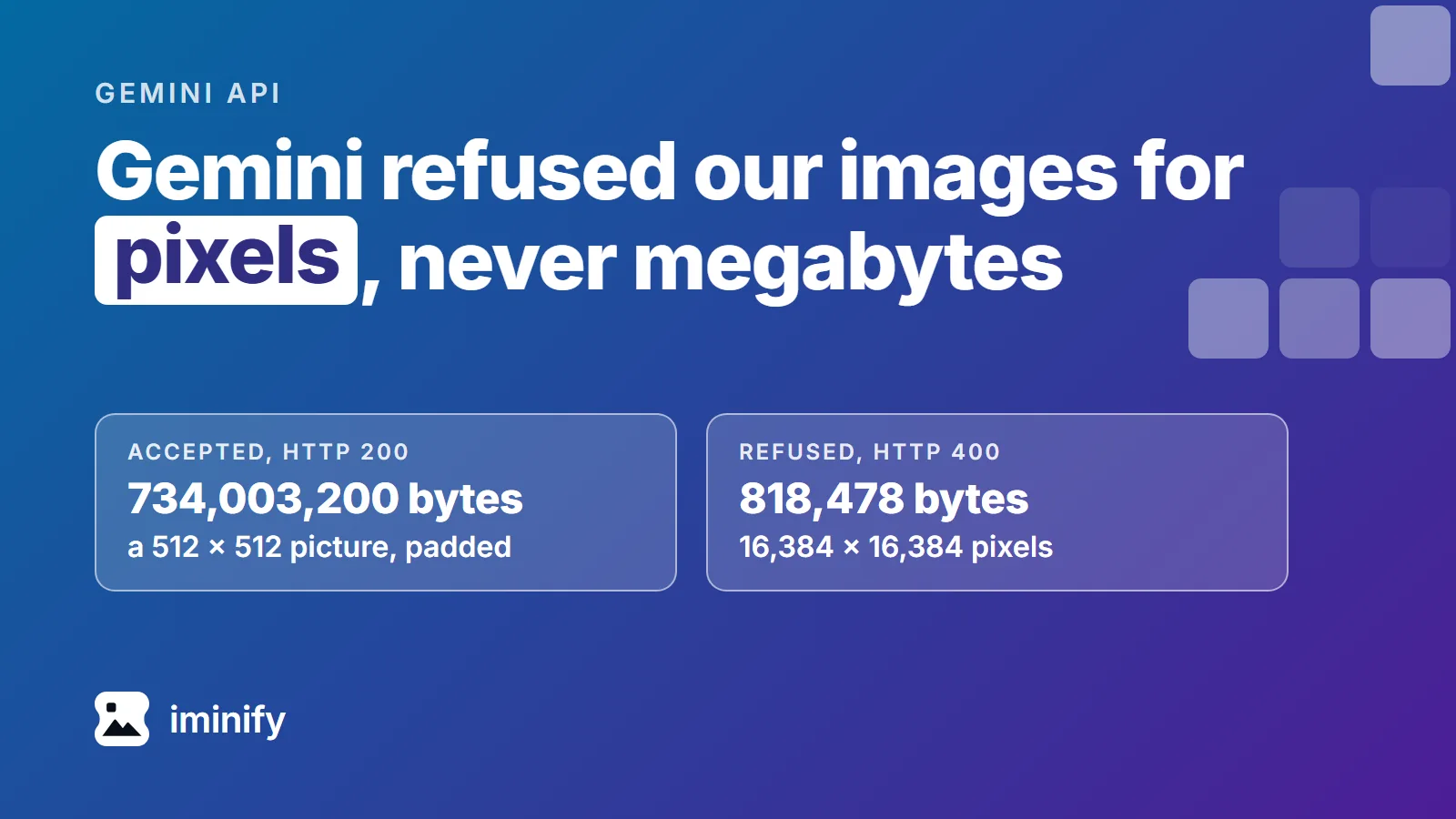
On 23 November 2026 we sent gemini-3.8-flash an 818,478-byte PNG, a flat blue square of 16,384 by 16,384 pixels, and it refused with that message. We also sent it a PNG of 734,003,200 bytes, a 512 by 512 picture padded to 700 MiB by a text chunk, and it described the picture. None of our files was refused for its megabytes, a 101 MiB file of random noise included. Images were refused for their pixels: a JPEG of 225,000,000 passed and one row more was refused, and a side of 42,000 passed where 42,250 was refused. If you only need the fix, skip to the section on shrinking.
Google's pages give three different inline limits, and 700 MiB went through
The Gemini API's image understanding page says inline image data "limits your total request size (text prompts, system instructions, and inline bytes) to 20MB". Its file input methods page lists "100 MB per request or payload" for inline data, which matches Google's announcement of 12 January 2026, raising "the maximum payload size for inline data from 20MB to 100MB (base64 encoded, with varying limits based on data types)". Firebase's input file requirements say 20 MB, and the Vertex AI page for Gemini 2.5 Flash Image, a model Google is retiring on 15 March 2027, says 7 MB a file for inline data.
We sent the image inline through generateContent at 14 sizes from 1 MiB to 700 MiB, and all 14 came back HTTP 200 with a description. (MiB is 1,048,576 bytes; the Gemini pages don't say which MB they mean.) The 700 MiB file was a 978,671,117-byte request, since base64 adds a third. Two files of random noise with nothing padded, 22,025,682 and 105,926,694 bytes, went through as well, and so did 120 MiB on gemini-2.5-flash.
We never saw a 413 or a message about size. We didn't test Firebase or Vertex AI.
On Gemini 3.8 Flash the pixel limit was 225,000,000 in a JPEG and 42,000 on one side
A result of 400 in the table is HTTP 400 INVALID_ARGUMENT with the forum thread's message. For photographic content we tiled one 4,096-pixel Nano Banana photo onto a canvas and saved it as a JPEG at quality 85 (25,903,922 to 46,017,379 bytes). On gemini-3.8-flash:
| Image | Pixels | Result |
|---|---|---|
| JPEG 14,000 x 14,000 | 196,000,000 | accepted |
| JPEG 15,000 x 15,000, or 22,500 x 10,000 | 225,000,000 | accepted |
| JPEG 15,000 x 15,001 | 225,015,000 | 400 |
| JPEG 16,000 x 16,000 | 256,000,000 | 400 |
| solid-colour PNG up to 13,000 x 13,000 | up to 169,000,000 | accepted |
| solid-colour PNG from 180 to 225 million pixels | 180,000,000 to 225,000,000 | 503 in 13 of 16 runs |
| solid-colour PNG 15,500 x 15,500 and up | 240,250,000 and up | 400 |
| solid-colour PNG 42,000 x 500, 42,000 x 1,000, 1,000 x 42,000, 42,000 x 2,000 or 21,250 x 500 | 10,625,000 to 84,000,000 | accepted |
| solid-colour PNG 42,250 x 500, 42,250 x 1,000, 1,000 x 43,000 or 43,000 x 2,000 | 21,125,000 to 86,000,000 | 400 |
gemini-3.1-flash-lite, gemini-3.1-pro-preview and the four Gemini 4 models (Argon, Carbon, Hydrogen, Neon) had the same limit on the JPEGs in one run per pair: 15,000 x 15,000 accepted, 15,000 x 15,001 refused. The Pro model and the Gemini 4 models also accepted a 42,000 x 1,000 PNG and refused 42,250 x 1,000. gemini-2.5-flash, which Google's changelog sends to gemini-3.5-flash-lite from 1 December 2026, sat lower. A 144-megapixel JPEG passed, but JPEGs of 182, 196 and 225 megapixels came back HTTP 500 An internal error has occurred, and 240 megapixels got the 400. Its side limit gave the same two results as 3.8 Flash: 42,000 accepted, 50,000 refused.
On 3.8 Flash the thin PNGs show the limit follows the longest side at the short sides we tried: at 500, 1,000 and 2,000 pixels, 42,000 passed and 42,250 or 43,000 was refused.
On gemini-3.8-flash the solid-colour PNGs gave a different outcome. From 180 to 225 million pixels, 13 of 16 runs got HTTP 503 Deadline expired before operation could complete. after about 30 seconds, and 3 passed. Five runs of the photographic JPEG in that range all passed. We can't say why.
The pages above name no pixel limit, and Firebase's says "There isn't a specific limit to the number of pixels in an image", then describes larger images being scaled down to fit 3072 x 3072. The forum image's 377 million pixels is over the limit we found, though the thread doesn't say which model it ran on.
To see the limit yourself, make two solid-colour JPEGs with Pillow and send each one inline:
from PIL import Image

Image.new("RGB", (15000, 15000), (40, 120, 200)).save("ok.jpg", quality=85)
Image.new("RGB", (15000, 15001), (40, 120, 200)).save("too-big.jpg", quality=85)
Both files are 3,520,005 bytes. ok.jpg was accepted on gemini-3.8-flash, and too-big.jpg came back in two seconds with the message above. Same size on disk, one row apart.
The message also came for empty data and for text, and not for most mistakes
Pixels aren't the only trigger. We sent one 1,800 by 1,200 photo in ten variants, one run each, and the unchanged photo was accepted:
| Input sent | Result |
|---|---|
empty data; the bytes of "hello world" labelled image/jpeg |
400, the same message |
a JPEG labelled image/png; a PNG or a WebP labelled image/jpeg |
accepted |
| the JPEG cut at half its bytes | accepted |
| a CMYK JPEG; URL-safe base64 | accepted |
data:image/jpeg;base64, in front of the base64; a line break every 76 characters |
400, a different message: Base64 decoding failed |
A wrong MIME type isn't what to look for. If this 400 shows up on a small file, check that data isn't empty and holds the bytes of an image, not text. A data: prefix or line breaks in the base64 give the other message. If it shows up on a big file, count the pixels.
Shrink to the pixels the task needs, because the bytes didn't matter in our runs
gemini-3.8-flash charged 1,032 to 1,100 tokens an image for every size we sent, 1,089 for each square one, so a smaller file doesn't make a request cheaper, as our token counts found. What gets an oversized image accepted is fewer pixels. This Pillow script shrinks a JPEG to at most 8,000 pixels on its longest side, a round number well under the limits above, keeps the aspect ratio and applies any EXIF rotation tag, because the save would drop it:
from PIL import Image, ImageOps

Image.MAX_IMAGE_PIXELS = None  # lifts Pillow's decompression-bomb guard (it raises above 178,956,970 pixels): use it on files you trust
im = Image.open("huge.jpg")
im.thumbnail((8000, 8000))
ImageOps.exif_transpose(im).save("smaller.jpg", quality=90)
On the 16,000 by 16,000 JPEG, which the API had refused, this gave an 8,000 by 8,000 file of 18,558,151 bytes (Pillow 11.1.0) that gemini-3.8-flash accepted at 1,097 prompt tokens, 1,089 for the image and 8 for our prompt, the same as for a 1,024-pixel image. ImageMagick worked on our refused JPEGs too, in our container, once we told it to read the file at reduced size:
magick -define jpeg:size=4000x4000 huge.jpg -resize '4000x4000>' -quality 90 smaller.jpg
With a hint of 8,000 the command failed on our 15,500 by 15,500 JPEG with cache resources exhausted, and 4,000 worked on all four refused JPEGs we tried (the 15,100, 15,500 and 16,000 pixel squares, and 23,000 by 10,000). Plain magick hit the same error on the 16,000 by 16,000 JPEG and the 16,384 by 16,384 PNG (ImageMagick 7.1.1-43, default limits; yours may differ).
How much to keep depends on what the model must read: in our test of what Gemini reads, a text sheet shrunk to 600 pixels wide read 15 fewer fields than at JPEG quality 95.
Iminify can't shrink an image that goes over the total-pixel limit: it refuses anything over 64 megapixels (the 16,384 by 16,384 PNG came back The image is 268.4 megapixels and the largest this tool can process is 64 megapixels), which is below that limit.
How we tested
We ran every Gemini request on 23 November 2026 against the Gemini Developer API (v1beta, generateContent, an API key), with one image part and a one-line prompt per call, mostly on gemini-3.8-flash. The solid-colour PNGs were written row by row, and the photographic JPEGs tile one Nano Banana photo from our sample set. The shrink commands ran in a Docker container. Most cells are one run; the 503 results and the 15,000 by 15,000 JPEG were run more than once.
Limits move. Google raised the inline limit in January, and its changelog has gemini-3.7-flash routed to 3.8 Flash since 8 October and gemini-2.5-flash going to gemini-3.5-flash-lite on 1 December 2026. We didn't run the Gemini app (Google's help page says up to 10 files a prompt and 100 MB for every type but video, read 23 November 2026), Vertex AI, Firebase AI Logic, the Files API, image URLs, image-output models such as Nano Banana, Veo or any other vendor's API. Claude's limits are in our post on its 5 MB error, and what each vendor's page lists is in our table of AI tools.