What size should Ghost images be? Ghost shrinks uploads past 2,000 px wide, re-saves JPEGs at quality 80 and keeps your original
On this page
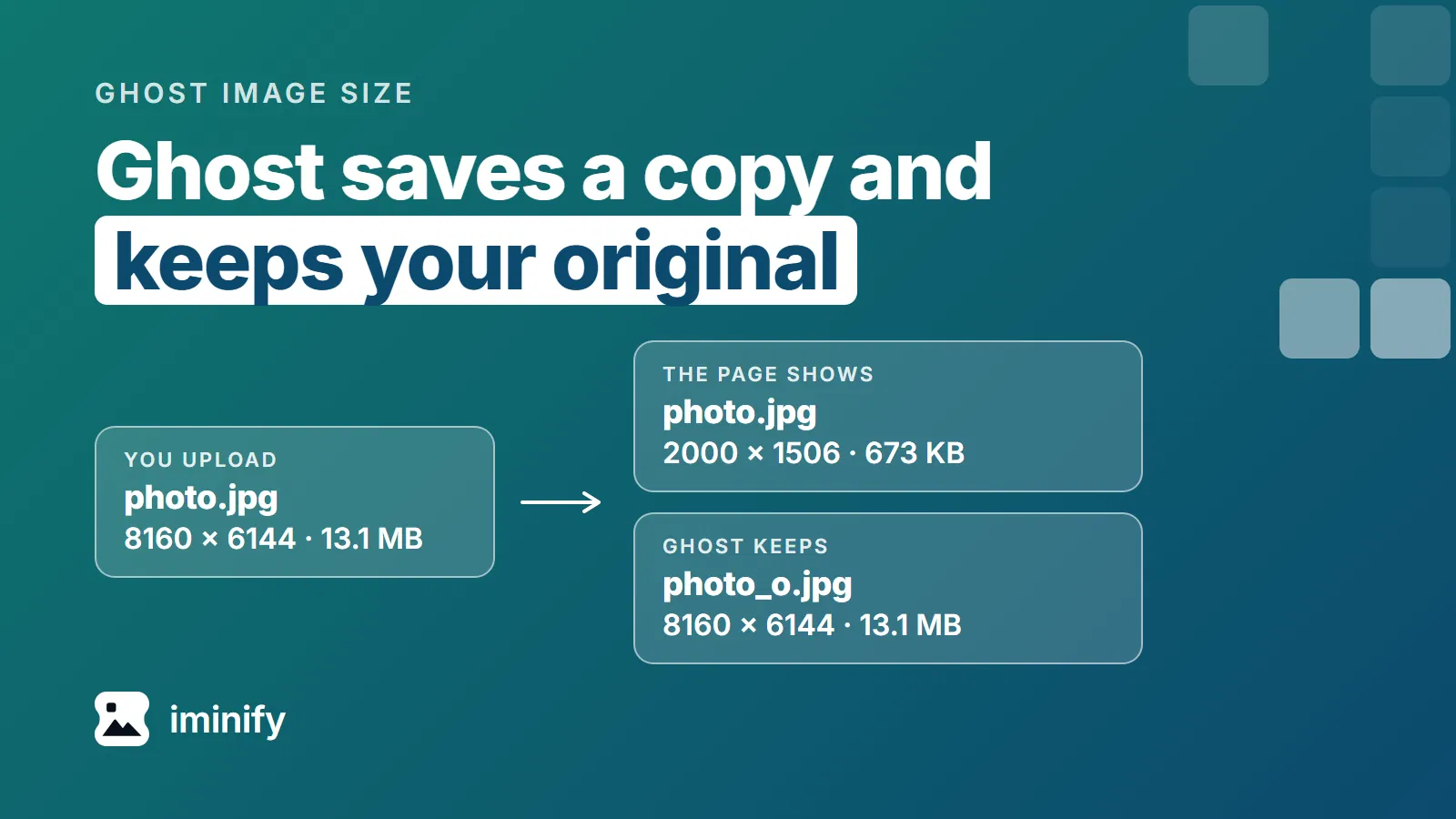
We uploaded a 13.1 MB photo from a Pixel 8 Pro to a Ghost 6.77.0 test site. Ghost kept a 673 KB JPEG, 2,000 pixels wide and without location data, as the copy it shows. The 13.1 MB file stayed in the same folder, location included, at an address that opens without logging in.
So upload at 2,000 pixels wide or more. Wider files get shrunk, JPEGs get re-saved at quality 80 unless that would make them bigger, and your original stays beside the copy, location included. Strip the location before you upload if that matters.
Ghost shrinks a wide upload to 2,000 pixels and saves JPEGs at quality 80
Ghost's configuration docs, read on 17 November 2026, list the steps: resize to "2000px max width", "JPEGs are compressed to 80% quality", "Metadata is removed", and "The original image is kept with the suffix _o." We checked them on the photographs from our JPG-size post:
| Photo | Upload | Ghost's copy | Score |
|---|---|---|---|
| Café, Pixel 8 Pro | 8160x6144, 13.1 MB | 2000x1506, 673 KB | 71.10 |
| Cemetery, Galaxy S24 Ultra | 8160x5100, 20.3 MB | 2000x1250, 495 KB | 72.85 |
| Palenque, Fujifilm X-T4, saved on its side | 6240x4160, 16.6 MB | 2000x3000, 1,226 KB | 72.20 |
| Crocuses, Pixel 8 | 4080x3072, 6.5 MB | 2000x1506, 877 KB | 76.63 |
| Station, Sony A7 III | 6000x4000, 14.9 MB | 2000x1333, 322 KB | 72.50 |
| Milky Way, Canon EOS R6 | 3648x5472, 27.3 MB | 2000x3000, 1,171 KB | 63.80 |
| Aurora, Nikon Z 6 | 5978x3977, 23.6 MB | 2000x1331, 295 KB | 53.43 |
The score is SSIMULACRA 2, where higher means closer to the upload and 80 means differences you can't see side by side at full size. Five of the seven scored 71 or more. The two night skies did not.
The quantisation tables of all 51 JPEG copies Ghost re-saved match mozjpeg 4.1.5 at quality 80. None kept a camera name, a colour profile or an orientation tag, and none of the 20 re-saved JPEG files that carried GPS coordinates kept them. Ghost turned the Fujifilm photo upright and converted the Pixel 8's Display P3 photo to sRGB before dropping the profile, so the colours held. Six repeated uploads gave byte-identical copies.
Twenty-one of the 22 files wider than 2,000 pixels came back 2,000 wide. The exception is in the section on files Ghost keeps.
Most JPEGs under 2,000 pixels wide get re-saved too
A forum user's summary of emails from Ghost(Pro) support, posted in November 2024, says images are "used as is if they are 2000px in width or smaller", so you should "optimize them on your end." That isn't what 34 of our 40 JPEGs at or under 2,000 pixels wide got. Our 1,800-pixel Fjord photo went from 852,461 to 369,917 bytes. The 34 came back smaller, among them a copy saved at quality 1 and files mozjpeg and jpegli had already compressed; the other six are in the section on files Ghost keeps. In the Ghost(Pro) sample, the stored copy was smaller than the original for all 37 JPEG originals at or under 2,000 pixels wide.
We sent three photographs four ways and scored Ghost's copy of each:
| Upload | Café | Crocuses | Palenque |
|---|---|---|---|
| The original | 71.10 | 76.63 | 72.20 |
| Resized to 2,000 px at quality 95 | 69.44 | 76.17 | 70.97 |
| Iminify Smart at 2,000 px | 67.76 | 73.99 | 68.46 |
| Iminify Lossless, copy compared with the original's | identical | identical | 23 bytes apart |
The bytes of Ghost's copies stayed within 4.1 percent of the original's. The original scored highest, ahead of the resized and Smart files by 0.5 to 3.7 points, so send Ghost the file you have. Each arm also used a different resizer, so we can't say which step costs what.
Iminify is ours. Its Lossless level repacks the JPEG with jpegtran, which changed no pixel in our check of 25 files. Ghost's copy matched the original's on two photographs. On Palenque, which Lossless turned upright, it differed by 23 bytes.
Your original stays in the folder, and so does its location
Ghost saves your upload beside the copy with _o before the extension, so photo.jpg has a photo_o.jpg. For all 70 files the _o copy was byte-identical to what we sent, and each one opened at its address without logging in. Ghost's configuration docs name the file and don't say it's public. Wix has a public file behind every image too.
On the 60 Ghost(Pro) sites, 140 of 165 originals opened, at 52 sites. The first 64 KB of each showed GPS coordinates in at least 9 photographs at 6 sites and a camera make or model in at least 16 at 13 sites.
To keep a location out of the public file, delete it from a copy of the photo before you upload. This ExifTool 13.25 command removes GPS coordinates from EXIF and XMP and left every decoded pixel unchanged; on three photographs it changed the files by under 250 bytes and left no GPS tag in any group:
exiftool -gps:all= "-xmp:gps*=" -overwrite_original photo.jpg
It doesn't remove a place name an editor typed into the file. It keeps the orientation tag and the colour profile, so Ghost still turns and converts the photo: its copies of the stripped Café and Crocuses photos and of a stripped Orientation 6 test photo matched the ones from the unstripped files. Iminify's Lossless level also drops the location by default, and those uploads left no _o with GPS.
A PNG, WebP or JPEG stays as you sent it when Ghost's re-save would be bigger
Ghost's image code returns the re-saved image only if it's smaller than the upload. Four of our seven PNGs failed that test, among them a 3.5 MB photograph. So did a 2,400-pixel animated WebP, the one wide upload that kept its size, and so did six of our 57 JPEGs.
We made those six with sharp, the library Ghost uses, from the Fjord photo at 1,200 pixels wide and quality 20 to 70, and gave them the Pixel photo's GPS tags. They weighed 62 to 168 KB. The two at quality 75 and 80 (186 and 214 KB) were re-saved to 175 and 181 KB.
A file Ghost keeps whole keeps its metadata: all six JPEGs came back with the GPS, and so did a PNG with GPS coordinates and a text comment. In the sample, 24 of 74 PNG pairs had a stored copy the same size as the original, 4 of them wider than 2,000 pixels.
Both GIFs were re-saved, one by 3 bytes and the other by 1.3 percent, and both kept their three frames. Send photographs as JPEG: the Fjord photo stayed 3.5 MB as a PNG and came back at 370 KB as a JPEG.
Ghost's image upload refuses HEIC and AVIF
The image upload takes .jpg, .jpeg, .gif, .png, .svg, .svgz, .ico and .webp (Ghost's config at v6.77.0). Two AVIF files and a real HEIC file all answered HTTP 415 with "Please select a valid image." Convert an iPhone photo with HEIC to JPG first, and send an AVIF as a JPEG.
Visitors get copies made on request, and WebP only on Source's post cards
Ghost cuts the smaller sizes when a browser first asks for them, and cuts them from your original, not from the 2,000-pixel copy: the café photo's 2,400-pixel copy weighed 923,169 bytes against 673,347 for the default image. Ghost's own size list puts copies at 600, 1,000 and 1,600 pixels beside the default image in a post's srcset, and the default theme, Source 1.7.6, adds 320 to 2,000 for the feature image. Our install returned the same bytes for all three Accept headers we tried.
Source's post cards, which sit on its home, tag and author pages and under each post as related posts, ask for WebP. The post's own images don't. In the sample, 22 of 165 image addresses answered WebP and none AVIF.
How we measured
We ran the official ghost:6.77.0 Docker image, the current release when we started, with default configuration, in development mode on SQLite and with no proxy or CDN in front. Ghost 6.78.0 came out the same day, and the image-resizing code and its image settings are unchanged in it. Ghost accepted 70 different files, six of them sent twice, and refused the AVIF and HEIC files. We sent them through the image-upload endpoint of its Admin API and copied the storage folder out afterwards.
Scores are SSIMULACRA 2 from libjxl 0.12.0 of Ghost's copy against a reference: the upload, turned upright where its tag said so and resized to Ghost's size with Pillow 11.1's Lanczos filter, with the two photographs that have a non-sRGB profile converted to sRGB first. The resized arm used ImageMagick 7.1.1-43. Iminify ran through its API on 17 November 2026: Smart with JPG output and a width of 2000, and Lossless with JPG output. MB means a million bytes.
The sample is 60 ghost.io sites from Common Crawl's CC-MAIN-2026-39 index, 165 images, asked for by a script that sent Chrome 157's Accept header and user agent. 59 of the 60 pages reported Ghost 6.78. We didn't upload to Ghost(Pro) and didn't test the editor, a proxy, S3 storage or any other theme.