Does Mastodon compress images? Yes: it re-saves JPEGs at quality 75 and shrinks anything over 8,294,400 pixels
On this page
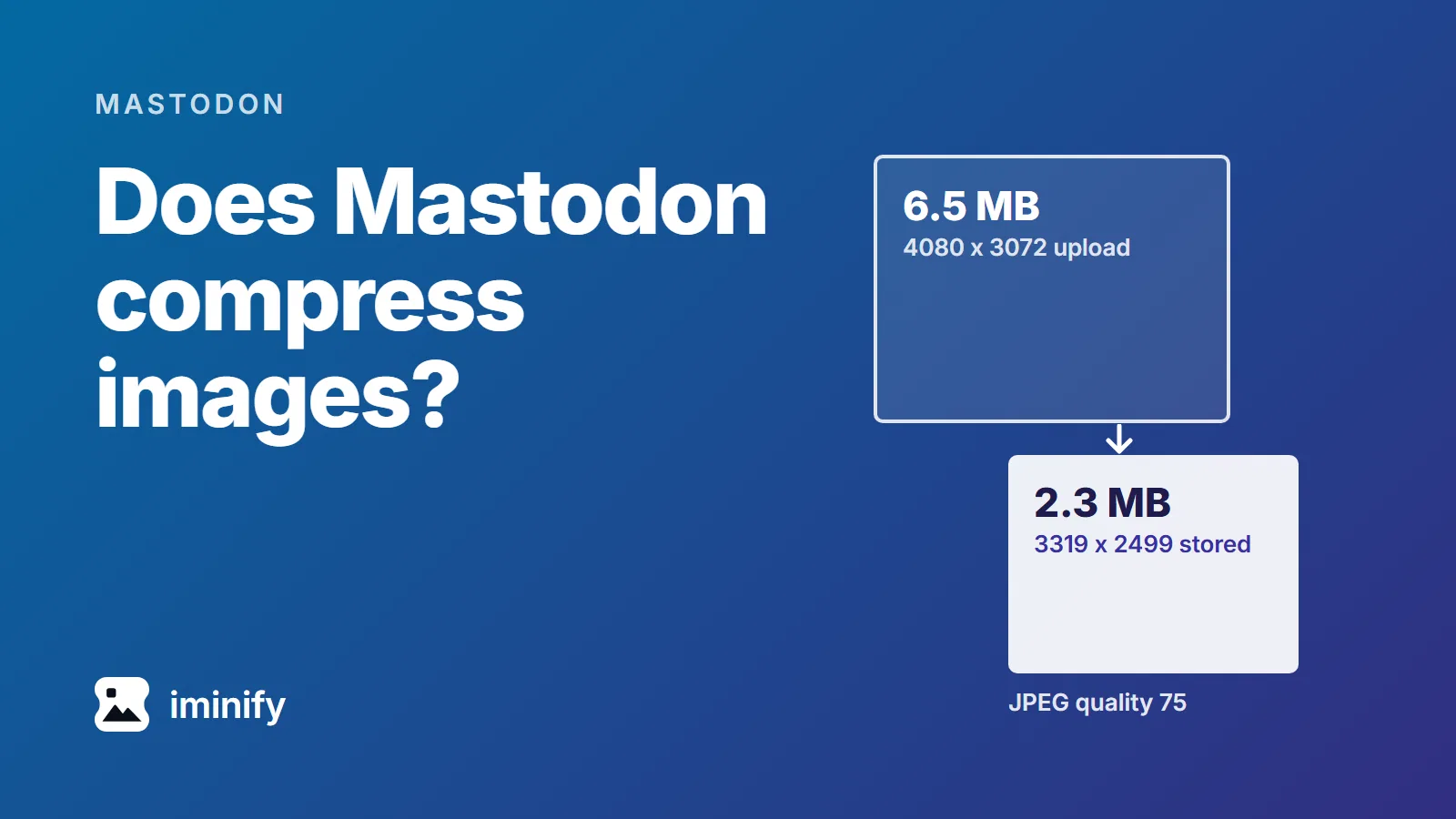
On 25 November we uploaded a 12.5-megapixel Pixel 8 photo of 6.5 MB to a stock Mastodon 4.7.6 server. The server stored a 3319 x 2499 picture of 2.3 MB. Three sources give three different limits: Buffer says 8 MB and about 1.6 megapixels, Mastodon's documentation says 16 MB and 8.3 megapixels, and the server's own API reports 33,177,600 pixels (33.2 megapixels).
We ran the server, read its code, and fetched 968 stored images from 121 public servers.
The short version: a default server accepts a file under 16 MiB (16,777,216 bytes) and up to 33,177,600 pixels (7680 x 4320), shrinks anything over 8,294,400 pixels (3840 x 2160, 4K) to about that size, saves a JPEG again at quality 75 and drops camera, location and author tags. PNG stays PNG. HEIC and AVIF uploads fail on 4.7.6. Post the original JPEG: on three photos, compressing it first with Iminify at Smart made Mastodon store at most 2.6 percent fewer bytes.
Image size limits: 16 MiB and 33.2 megapixels in, about 8.3 megapixels stored
| Step | Limit | What we saw on 4.7.6 |
|---|---|---|
| File size accepted | under 16,777,216 bytes | 16,777,215 passed, 16,777,216 refused |
| Pixels accepted | 33,177,600 (7680 x 4320) | 7680 x 4320 passed, 7681 x 4320 refused |
| Pixels stored | about 8,294,400 (3840 x 2160, 4K) | 12.5 MP stored as 8,294,181 pixels; 3841 x 2160 became 3840 x 2159 |
The refusal says "File must be less than 16 MB" and the documentation says 16 MB; both mean 16 MiB. Buffer's 8 MB and 1.6 megapixels (1,638,400 pixels) are the limits of Mastodon 2.9.4, and 3.0.0 raised the file limit to 10 MB. Pull request 23726 set the current limits in 4.2.0: 16 MB, a 4K target and an 8K processing limit. Of the 279 servers on joinmastodon.org's list that answered /api/v2/instance, 269 report those two limits and ten report others.
A JPEG is saved again at quality 75
| Photo | Upload | Stored | Share of upload |
|---|---|---|---|
| Galaxy S24 Ultra | 4000 x 3000, 3,427,621 B | 2494 x 3325, 1,236,488 B | 36% |
| Pixel 8 | 4080 x 3072, 6,535,144 B | 3319 x 2499, 2,334,908 B | 36% |
| Fujifilm X-T4 | 6240 x 4160, 16,551,833 B | 2351 x 3527, 1,822,802 B | 11% |
The Galaxy and Fujifilm pictures turn from landscape to portrait because Mastodon applies their orientation tags (below).
All 36 JPEGs that 4.7.6 accepted from our API uploads are baseline, 4:2:0, with quantisation tables that equal libjpeg quality 75, the standard JPEG quality scale. Mastodon's code does hold a 90, but it applies only when the output format is jpg, which Mastodon sets for one thing, the thumbnail of a GIF link preview (the jpg branch, where it is set). The -quality 90 that also sits in media_attachment.rb is an ImageMagick option; the server's image library, libvips, ignores it for its own default of 75.
To check, we ran the same libvips calls in the server's container: shrink to 8,294,400 pixels, remove every field except the colour profile, save with no options. The result matched the stored file byte for byte for 39 of 39 files tried: 31 JPEG, 5 PNG and 3 WebP.
On 92 public servers with a plain version string, 492 of 499 JPEGs were quality 75. The other 7, from two servers, were 90 and had a JFIF header the 75s lack; we don't know why. 725 of 736 files were at or under 8,294,400 pixels, and ten of the other 11 were over by at most 2,304.
Compressing a photo first doesn't help
Scores are SSIMULACRA 2, higher is better (scale). We wrote the Fjord photo (1800 x 1200, from Iminify's showcase) with libjpeg-turbo's cjpeg at six qualities, the same scale as Mastodon's, uploaded each, and scored upload and stored copy against the original:
| Upload quality | Upload | Stored | Stored vs upload | Upload score | Stored score |
|---|---|---|---|---|---|
| 95 | 931,557 B | 408,939 B | -56% | 89.1 | 71.9 |
| 90 | 699,872 B | 400,388 B | -43% | 87.0 | 71.8 |
| 85 | 605,066 B | 531,759 B | -12% | 80.5 | 63.5 |
| 75 | 408,403 B | 408,473 B | 0% | 73.1 | 72.5 |
| 60 | 302,557 B | 378,109 B | +25% | 62.8 | 58.3 |
| 40 | 229,695 B | 325,122 B | +42% | 51.0 | 48.7 |
On this photo, uploads above 75 came back smaller, the one at 75 the same size, those below it bigger, and every stored score is below its upload's. The 85 upload scored lower after the save (63.5) than the 90 and 75 ones (71.8 and 72.5), and a plain cjpeg -quality 75 of the same pixels scored the same 63.5, so the dip comes with the pixels, not the server. On six files the quality-75 save alone scored 72.4 to 81.8 against the pixels before the save.
We then ran three of the photos through Iminify, our own tool, at Smart, as JPG, before uploading. Mastodon stored 0.3 to 2.6 percent fewer bytes and scored 1.3 to 3.8 points lower (76.5 against 80.3 for the Galaxy photo).
Mastodon removes the EXIF camera, location and author tags
The Galaxy and Pixel photos lost their EXIF maker notes, HDR gain maps and GPS group. The colour profile stayed. A test JPEG with GPS coordinates, a make, a model, an artist, a copyright and a description added came back byte for byte as the photo without them.
The orientation tag is applied to the pixels: all eight values came back upright with tag 1. None of the 968 stored images from public servers carried a GPS tag, an author or copyright tag, a capture date, a software tag, a camera make or model, or an orientation other than 1.
PNG stays PNG, but HEIC and AVIF fail on 4.7.6
Three 8-bit PNGs came back with 0 pixels changed. A PNG can still come back bigger: a 13.0 MB photo became 15.3 MB, and an 18.1 MB one at 3840 x 2160 was refused. A lossless WebP screenshot was saved again as lossy and scored 72.6 against what we uploaded.
HEIC and AVIF fail. Mastodon's security releases of 15 September (4.7.2, 4.6.8, 4.5.18 and 4.4.25) switched off HEIF, yet 4.7.6 still lists image/heic and image/avif and its upload picker accepts them. Our uploads, from the API and from the web composer, got HTTP 500, "Error processing thumbnail for uploaded media". All 190 servers with a plain 4.7.2-or-later version in our survey list the formats; the 25 on 5.0 builds don't (the fix). The documentation still lists HEIF and AVIF. Mastodon 4.3.23, an older release, turned the same files into JPEGs at quality 75.
What to send to Mastodon
- Post the original JPEG; if it is over 16 MiB or 33,177,600 pixels, shrink it first, with Iminify, which can fit a file under a size or resize it. A file over 16 MiB is also over Iminify's guest limit, so it needs an account.
- Convert HEIC first, with Iminify's HEIC to JPG. Our Smart JPG of a 718,114-byte HEIC was accepted and stored at 266,281 bytes. Iminify doesn't read AVIF.
- Keep screenshots as PNG, not lossless WebP. A PNG photo over 16 MiB goes as JPG: our 18.1 MB PNG became 3,005,608 bytes in Iminify, was accepted, and stored at 2,315,355 bytes.
- Check your own server, and a file you saved from a post:
curl -s https://mastodon.social/api/v2/instance | jq '.version, (.configuration.media_attachments | {image_size_limit, image_matrix_limit})'
identify -format '%Q %wx%h\n' photo.jpg
Swap in your server's address and your file's name. The first line needs curl and jq and prints the server's version and two limits. The second needs ImageMagick (magick identify in version 7) and prints a JPEG's estimated quality and pixel size: 75 3319x2499 for our stored Pixel photo.
How we measured
On 25 November we ran Mastodon 4.7.6 (the official image, default settings, libvips 8.18.5) and 4.3.23 (libvips 8.15.3) in Docker. We uploaded through the API (54 uploads to 4.7.6, 32 to 4.3.23) and, to 4.7.6, through the web composer in Chrome 157 (8 uploads, 5 accepted); the page sent each file unchanged, and the stored bytes matched the API's for all five. The photos are four from our post on JPEG size, a Gemini image, the Fjord photo and files made from them. Scores are ssimulacra2 from libjxl 0.12.0: the ladder against the original, the other photos against the lossless pixels of the server's own resize. We ran Iminify through its API on production. MB for our own file sizes are 1,000,000 bytes; Mastodon's limits are MiB.
We asked the 286 servers on joinmastodon.org for /api/v2/instance (279 answered). Of the 150 with the most active users, 121 returned images from their public timeline; from each we took up to 8 images from posts not marked sensitive, 968 files, and kept no location, author or date values. We uploaded only to 4.7.6 and 4.3.23; not tested: phone apps, other servers' copies, S3 or a CDN, nginx's own size limit, forks and 5.0 builds.