Improve image delivery in Lighthouse: what it replaced and how it counts savings
On this page
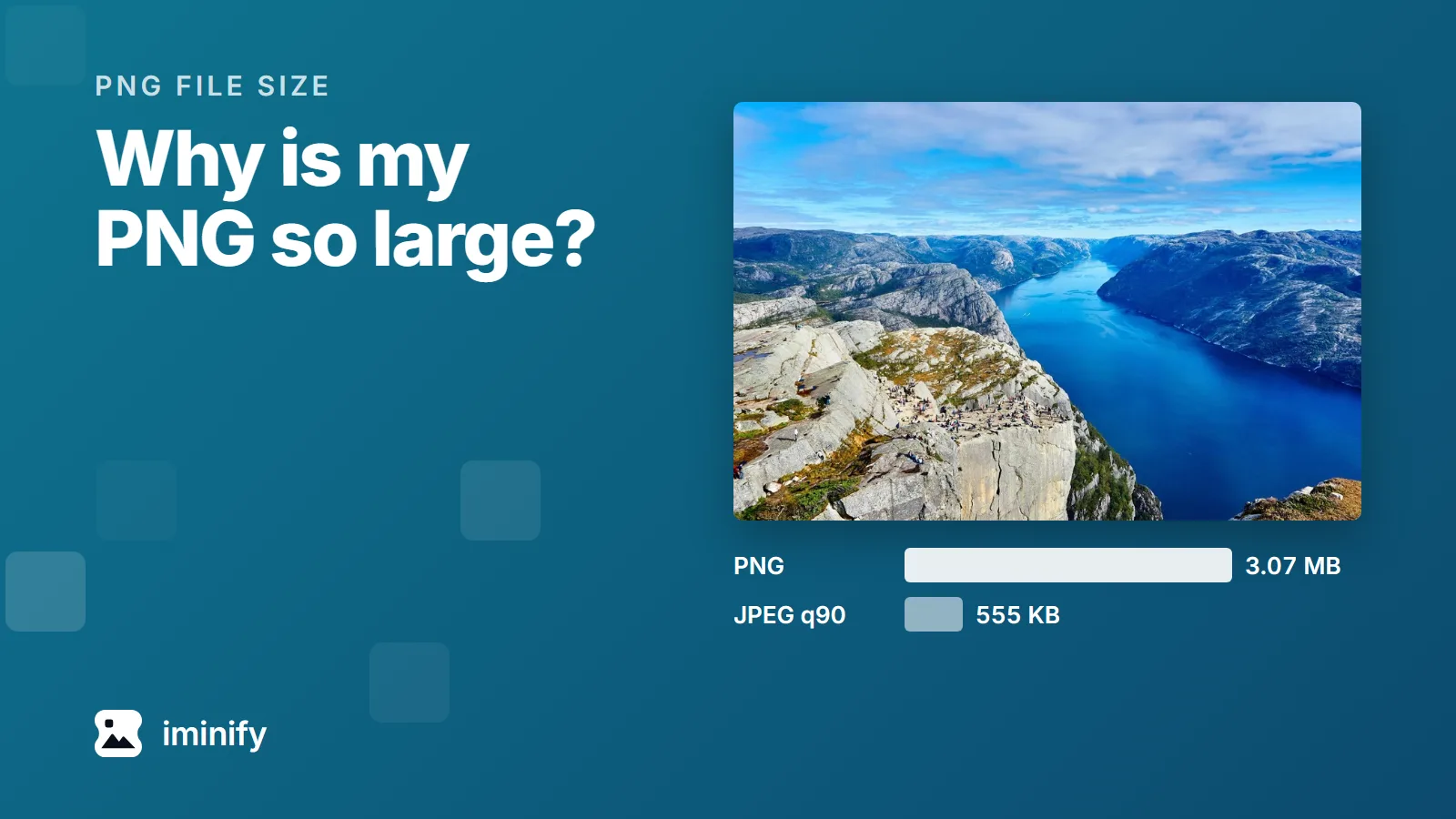
PageSpeed Insights ran Lighthouse 13.5.0 on our home page on 22 September 2026 and flagged "Improve image delivery" in the mobile report: "Est savings of 1,300 KiB". All of it came from one photograph. The fjord shot in our before-and-after comparison is on the page twice, as the 832.5 KiB original and as our own compressed copy at 555.3 KiB. Both files are 1800x1200, and the report says they're displayed at 637x425. Three later runs that day said 1,359 KiB and 364x243.
If your old notes say "Serve images in next-gen formats" or "Properly size images", this is where they went: Lighthouse 13 folded four image audits into this one insight. And its savings aren't measured: each figure is arithmetic on bytes and pixels. We reproduced every number in that insight, made the file it asks for, and traced one reason the same page gets two answers.
Four audits became one insight, and one was dropped
Lighthouse 13.0.0, released on 10 October 2025, removed the audits that performance insights replaced, and PageSpeed Insights was running 13.5.0 when we tested. Here's where each image audit went:
| Old title | Old id | What you see now |
|---|---|---|
| Serve images in next-gen formats | modern-image-formats |
"Using a modern image format (WebP, AVIF) or increasing the image compression could improve this image's download size." |
| Efficiently encode images | uses-optimized-images |
The same line; WebP and AVIF files, which the old audit skipped, get "Increasing the image compression factor could improve this image's download size." |
| Properly size images | uses-responsive-images |
"This image file is larger than it needs to be..." |
| Use video formats for animated content | efficient-animated-content |
"Using video formats instead of GIFs..." |
| Defer offscreen images | offscreen-images |
Removed |
Chrome's migration note gives the reason for the last one: offscreen images "are already deprioritized by the browser so while lazy loading helps reduce bandwidth, it is unlikely to have an impact on what Lighthouse measures."
For JPEG, PNG and BMP files up to 2 MB, within a five-second budget, the old format and compression audits had Chrome re-encode the image as a JPEG and a WebP and measured the results.
Every estimated saving is arithmetic on bytes and pixels
The two lines under our original come from two formulas in ImageDelivery.js, part of the trace engine Lighthouse 13.5.0 ships with.
The format line appears when a file carries more than a sixth of a byte per pixel, the budget our post on kilobyte targets takes apart. It claims every byte above that budget: 852,461 bytes minus 1800 × 1200 ÷ 6, which is 360,000, comes to 492,461 bytes, the 480.9 KiB in the report.
The size line assumes bytes scale with pixels. It takes the share of the file's pixels the screen never shows, 1 − (637 × 424.65) ÷ (1800 × 1200) = 0.874768, and claims that share of the file: 745,706 bytes, the 728.2 KiB in the report. The report rounds the height to 425.
Add the two and you get 1,209 KiB, more than the file weighs. They overlap, so the row compounds them instead: the 480.9 KiB format saving plus 0.874768 of the 351.6 KiB it leaves, which comes to 788.5 KiB. The file Lighthouse has in mind weighs the displayed pixels divided by six, 45,084 bytes at this slot: the 44 KiB left when you take 788.5 from 832.5. Our compressed copy gets the same target, so its row is 568,598 minus 45,084 bytes, the 511.2 KiB in the report, and the two rows make the 1,300.
A line appears only if it saves more than 4,096 bytes. A size line gets 12,288 bytes of slack when the image has a srcset or sits in a <picture>, and CSS background images never get a size line. GIFs never get a format line: over 100 KiB they get the video line instead.
We made the file Lighthouse asks for, and the estimate held
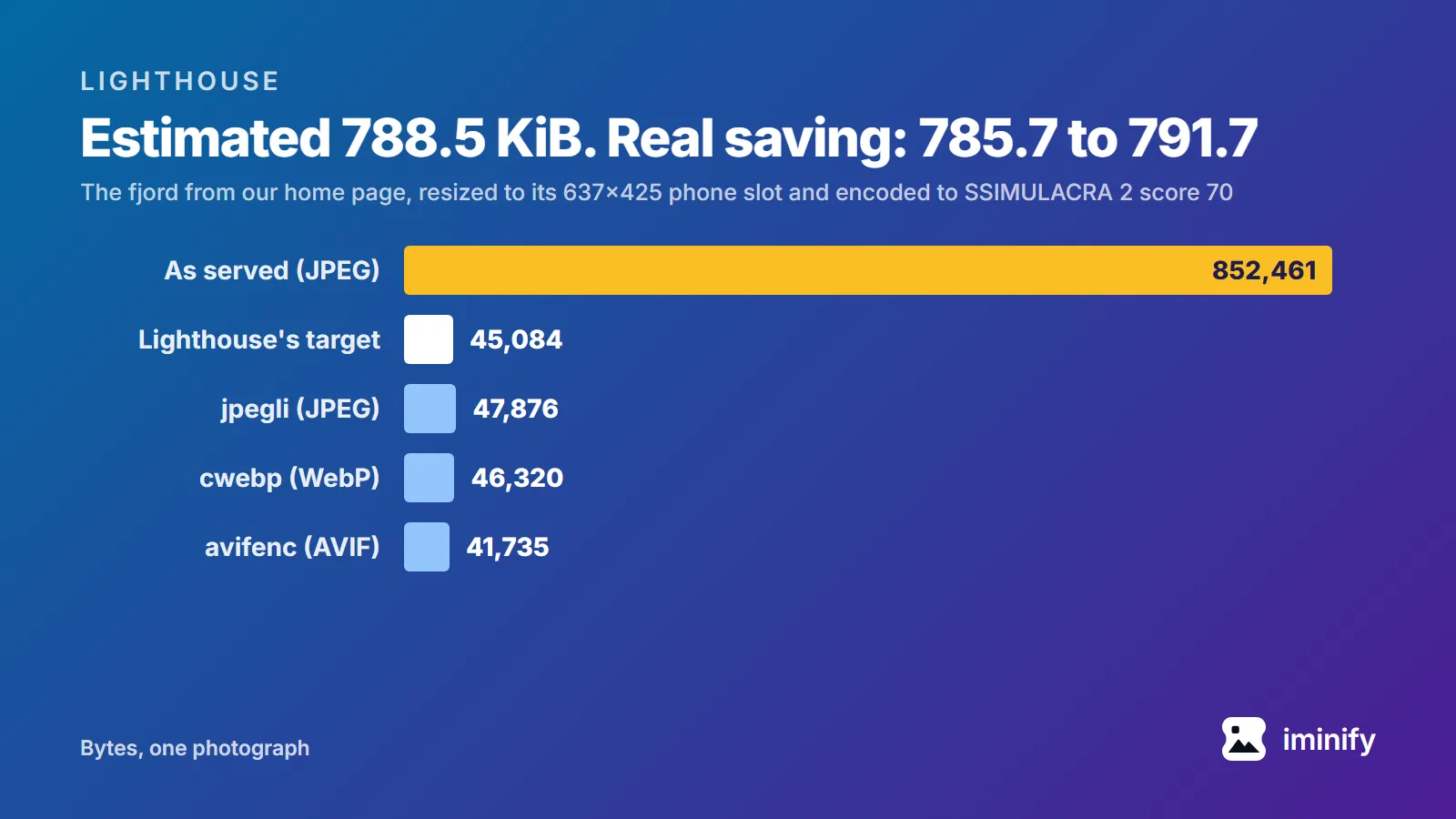
We resized the fjord, the same file as the original on our page, to the displayed sizes in the mobile and desktop reports, 637x425 and 888x592. Then we searched three encoders for the lowest quality that still scores 70 on SSIMULACRA 2, the score where, in our post on the scale, "you have to hunt" for the damage. The encoder settings are the ones our pipeline uses for photographs, and the recipe is the one from our kilobyte-targets post, with -y 420 added to avifenc for 4:2:0 chroma. In bytes:
| Size | Lighthouse's target | jpegli (JPEG) | cwebp (WebP) | avifenc (AVIF) |
|---|---|---|---|---|
| 637x425, phone | 45,084 | 47,876 | 46,320 | 41,735 |
| 888x592, desktop | 87,616 | 84,962 | 88,406 | 81,916 |
All six files land within 8 percent of the target, and the three that go over it do so by less than 4,096 bytes, too little for a format line. From the 832.5 KiB original, the real saving at phone size is 785.7 KiB as a JPEG and 791.7 KiB as an AVIF. The report said 788.5.
The fjord is the only picture in our kilobyte-targets post whose files at score 70 went over this budget: 103 of 107 came in under a sixth of a byte per pixel, and the four that didn't were all this photograph. Where an original is heavy enough to draw a format line and its score-70 file comes in under the budget, as those 103 did, the real saving beats the estimate.
The target also says what quality Lighthouse has in mind. On the fjord, the largest file each encoder made at or under it scored between 68.6 and 72.4, at both sizes. That's why our compressed copy draws a format line: it scores 84.2. Our Smart level made it, byte for byte what jpegli writes at quality 90. For our published showcase of 20 September 2026, our Ultra level made a 324,733-byte JPEG of the same photo, which scores 70.8 and sits under the 360,000 budget of an 1800x1200 file.
On a phone run, check the displayed size before you resize
The emulated phone has a pixel density of 1.75, and the slot is 364 by 242.656 CSS pixels. Multiply one by the other and you get 637x425. The 364x243 runs skipped the density and compared the file with CSS pixels, so their size line grew to 798.4 KiB. Of four PageSpeed Insights runs of our page on 22 September, one applied the density and three didn't. Of ten Lighthouse 13.5.0 runs from the command line on our machine, one did.
The trace engine takes the density from the first viewport event in the trace. In the two command-line traces we read, one of each kind, the run that got 1.75 had the page's own event first, and the run that got 1 had an SVG image's small document ahead of it, at a density of 1. We rebuilt that on a test page: a 525x350 file in a 300-pixel slot got no size line, and one small SVG image painted before the page itself changed the verdict to "larger than it needs to be (525x350) for its displayed dimensions (300x200)". Others have reported mobile runs measured against CSS pixels in Lighthouse issues #16579 and #17080, both still open; #17080 blames when Lighthouse samples the host screen's density.
So check the dimensions before you shrink anything. On a mobile report they should be your CSS width times 1.75. If they equal the CSS width, that run skipped the density, and a file cut to match will look soft on a phone.
Clearing the insight on your own page
For exact bytes, run Lighthouse yourself with your own URL and read the JSON. You'll need Node 22.19 or later, Chrome, jq and a POSIX shell (Git Bash on Windows):
npx --yes [email protected] https://www.example.com/ --only-audits=image-delivery-insight --output=json --output-path=report.json --quiet --chrome-flags="--headless=new"
jq '.audits["image-delivery-insight"].details.items[] | {url, totalBytes, wastedBytes, lines: [.subItems.items[] | {reason, wastedBytes}]}' report.json
Each flagged file comes out with its bytes, the row's saving and every line under it, displayed dimensions included; check those against your CSS width times 1.75 before you trust the bytes. Then work through the lines:
- For a size line, make one file per slot width, at the CSS width times the density, and serve them with
srcsetandsizes. Our compressor resizes by pixels on the way through. - For a format line, re-encode to a quality floor instead of one quality number for every image, and check that the result weighs no more than its own width times height divided by six, or less than 4,096 bytes over it. On the fjord, all three encoders cleared the format line at a score of 70, and so did our Ultra level; Smart didn't.
- Run the report again.
For a whole page, a scan collects every image the page loads, compresses and converts them, and returns one zip with the original file names. It needs a free account, where it stops at 20. It applies one level, format and resize setting to every image, so check its results against the budget in step 2, and size lines still need a srcset per slot.
Our home page serves both files at full size: the comparison draws its difference map and PSNR in the browser from the two images themselves, so smaller copies would compare something else. As long as the page does, the insight flags them, at 1,300 KiB or 1,359 depending on the run, and the run that applied the density is right about the bytes.